Core: Core documentation without API reference
# Introduction
> Introduction to Actionbase
Actionbase is a database for serving user interactions. It is designed to serve interaction-driven data in real time and is production-proven across Kakao services. Actionbase serves interaction-derived data—**likes**, **recent views**, **follows**, **reactions**—in real time. An interaction is modeled as: **who** did **what** to which **target**. Actionbase materializes read-optimized structures at write time. Reads use bounded access patterns (GET, COUNT, SCAN) without expensive computation. When backed by HBase, Actionbase inherits durability and horizontal scalability. ## Focus [Section titled “Focus”](#focus) | Focuses on | Explicitly avoids | | --------------------------------------------------- | ------------------------------------ | | Real-time user interactions (likes, views, follows) | General-purpose graph queries | | Bounded access patterns (GET, COUNT, SCAN) | Unbounded traversal or analytics | | Continuous writes, immediate reads | Batch ingestion or deferred indexing | | WAL/CDC to Kafka (yours or ours) | Owning downstream processing | | Pluggable storage (HBase now, others planned) | Building yet another storage engine | ## Storage Backend [Section titled “Storage Backend”](#storage-backend) Actionbase currently uses HBase as its primary storage backend. Lighter backends are [planned](/community/roadmap/#exploring) for smaller deployments. ## Production Usage [Section titled “Production Usage”](#production-usage) Used at Kakao services—primarily [KakaoTalk Gift](https://gift.kakao.com/home)—handling over a million requests per minute. Running in stable production for years. ## Next Steps [Section titled “Next Steps”](#next-steps) * [Quick Start](/quick-start/) — Try Actionbase in minutes * [Core Concepts](/design/concepts/) — Understand the design
# Quick Start
> Run Actionbase and try core operations in minutes.
 ## Prerequisites [Section titled “Prerequisites”](#prerequisites) * Docker ## Start Actionbase [Section titled “Start Actionbase”](#start-actionbase) ```bash docker run -it ghcr.io/kakao/actionbase:standalone ``` This runs the server in the background (port 8080) and the CLI in the foreground. ```plaintext actionbase> ``` ## Write Data [Section titled “Write Data”](#write-data) Load sample data using a preset (at `actionbase>` prompt): ```plaintext load preset likes ``` This creates a `likes` database/table and inserts 3 edges: ```plaintext │ 3 edges inserted │ - Alice → Phone │ - Bob → Phone │ - Bob → Laptop ``` ```plaintext Alice --- likes ----> +--------+ | Phone | Bob ----- likes ----> +--------+ | | +--------+ +-- likes ----> | Laptop | +--------+ ``` At write time, Actionbase **precomputes everything** for reads—counts, indexes, ordering for **both directions**. This means you can instantly query: “What did Bob like?” (direction: OUT) “Who liked Phone?” (direction: IN) Counts and indexes ready at write time—no computation at query time. ## Read Data [Section titled “Read Data”](#read-data) ### Get [Section titled “Get”](#get) Check if a specific edge exists: ```plaintext get --source Alice --target Phone ``` ```plaintext │ The edge is found: [Alice -> Phone] │ |---------------|--------|--------|---------------------------| │ | VERSION | SOURCE | TARGET | PROPERTIES | │ |---------------|--------|--------|---------------------------| │ | 1737377177245 | Alice | Phone | created_at: 1737377177245 | │ |---------------|--------|--------|---------------------------| ``` ### Scan [Section titled “Scan”](#scan) **What did Bob like?** (direction: OUT) ```plaintext scan --index recent --start Bob --direction OUT ``` ```plaintext │ The 2 edges found (offset: -, hasNext: false) │ |---|---------------|--------|--------|---------------------------| │ | # | VERSION | SOURCE | TARGET | PROPERTIES | │ |---|---------------|--------|--------|---------------------------| │ | 1 | 1737377177350 | Bob | Laptop | created_at: 1737377177350 | │ | 2 | 1737377177297 | Bob | Phone | created_at: 1737377177297 | │ |---|---------------|--------|--------|---------------------------| ``` **Who liked Phone?** (direction: IN) ```plaintext scan --index recent --start Phone --direction IN ``` ```plaintext │ The 2 edges found (offset: -, hasNext: false) │ |---|---------------|--------|--------|---------------------------| │ | # | VERSION | SOURCE | TARGET | PROPERTIES | │ |---|---------------|--------|--------|---------------------------| │ | 1 | 1737377177297 | Bob | Phone | created_at: 1737377177297 | │ | 2 | 1737377177245 | Alice | Phone | created_at: 1737377177245 | │ |---|---------------|--------|--------|---------------------------| ``` ### Count [Section titled “Count”](#count) **How many items did Alice like?** (direction: OUT) ```plaintext count --start Alice --direction OUT ``` ```plaintext │ |-------|-----------|-------| │ | START | DIRECTION | COUNT | │ |-------|-----------|-------| │ | Alice | OUT | 1 | │ |-------|-----------|-------| ``` **How many users liked Phone?** (direction: IN) ```plaintext count --start Phone --direction IN ``` ```plaintext │ |-------|-----------|-------| │ | START | DIRECTION | COUNT | │ |-------|-----------|-------| │ | Phone | IN | 2 | │ |-------|-----------|-------| ``` ## Next Steps [Section titled “Next Steps”](#next-steps) * [Core Concepts](/design/concepts/) — How Actionbase works * [Build Your Social Media App](/guides/build-your-social-media-app/) — Hands-on guide * [CLI Reference](/operations/cli/) — Full CLI documentation
# Core Concepts
> Core concepts behind Actionbase design
Actionbase is a database for serving user interactions—not a general-purpose graph database. ## Design Goals [Section titled “Design Goals”](#design-goals) * **Write-Time Optimization** — Pre-compute read structures at write time. Reads become simple lookups. * **Leverage Proven Storage** — Build on HBase for durability and scale. Don’t reinvent storage. ## User Interactions [Section titled “User Interactions”](#user-interactions) Actionbase handles: * Recent views (products, content) * Likes and reactions * Follows These share common characteristics: **who** did **what** to which **target**, real-time access, predictable query patterns. ## Property Graph Model [Section titled “Property Graph Model”](#property-graph-model) Actionbase models interactions as edges: * **Source**: who (e.g., user\_id) * **Target**: what (e.g., product\_id, content\_id, user\_id) * **Properties**: schema-defined attributes (e.g., `created_at`, `reaction_type`) ```plaintext User --[likes]--> Product (edge) ├─ source: "user123" ├─ target: "product456" └─ properties: { created_at: 1234567890, reaction_type: "heart" } User --[follows]--> User (edge) ├─ source: "user123" ├─ target: "user789" └─ properties: { created_at: 1234567891 } ``` See [Schema](/design/schema/) for defining your edges. ## State and Event Model [Section titled “State and Event Model”](#state-and-event-model) Actionbase uses a state-based mutation model: * **State**: current state (e.g., “user liked product”) * **Event**: input that transitions state (e.g., “user clicked like”) When an interaction occurs: 1. Read current state 2. Apply state transition 3. Store new state Clients attach timestamps to events. Even if events arrive out of order, Actionbase computes the correct final state. See [Mutation](/design/mutation/) for details. ## Write-Time Optimization [Section titled “Write-Time Optimization”](#write-time-optimization) When an edge is written, Actionbase pre-computes: 1. **State** — current relationship between source and target 2. **Index** — ordered structures based on properties (e.g., `created_at DESC`) 3. **Count** — counters (e.g., number of likes per item) Reads use simple GET, COUNT, SCAN operations without query-time computation. See [Mutation](/design/mutation/) for how these are created. See [Query](/design/query/) for how to access them. ## Data Flow [Section titled “Data Flow”](#data-flow) ### Write Path [Section titled “Write Path”](#write-path) ```plaintext Client → Server → Engine → WAL → Storage → CDC ``` 1. Write to WAL for durability 2. Acquire lock 3. Read current state 4. Apply state transition 5. Compute indexes and counters 6. Write to storage 7. Emit CDC for downstream systems See [Mutation](/design/mutation/). ### Read Path [Section titled “Read Path”](#read-path) ```plaintext Client → Server → Engine → Storage → Response ``` * **COUNT** → EdgeCounter * **GET** → EdgeState * **SCAN** → EdgeIndex See [Query](/design/query/). ## Next Steps [Section titled “Next Steps”](#next-steps) * [Schema](/design/schema/): Define edge structure * [Guides](/guides/build-your-social-media-app/): Hands-on tutorial
# Glossary
> Key terminology used in Actionbase documentation
Key terms used in Actionbase documentation. ## Schema Version Mapping [Section titled “Schema Version Mapping”](#schema-version-mapping) v2 and v3 map almost 1:1. | v2 (Current) | v3 (Future) | Description | | ------------ | ----------- | ----------------------------- | | service | database | Namespace for grouping tables | | label | table | Edge schema definition | | src | source | Who performed the interaction | | tgt | target | What received the interaction | | ts | version | Timestamp for ordering | | fields | properties | Edge attributes | | dirType | direction | Direction type | | indices | indexes | Query indexes | | desc | comment | Description | * **Schema API**: v2 — migrating to v3 * **Query/Mutation APIs**: v3 ## Data Model [Section titled “Data Model”](#data-model) | Term | Description | | --------------- | --------------------------------------------------------------- | | **Edge** | A relationship representing a user interaction | | **Source** | Who — the entity performing the interaction (e.g., user\_id) | | **Target** | What — the entity receiving the interaction (e.g., product\_id) | | **Properties** | Attributes on an edge (e.g., `created_at`) | | **Unique-edge** | Edge identified by (source, target) pair | | **Multi-edge** | Edge identified by ID; multiple per (source, target) | | **Index** | Pre-computed structure for querying | | **Alias** | Alternative name for a label/table | ## Query and Mutation [Section titled “Query and Mutation”](#query-and-mutation) | Term | Description | | ------------- | ------------------------------------------------------------- | | **COUNT** | Query returning number of edges | | **GET** | Query retrieving edge by source and target | | **SCAN** | Query scanning edges using pre-computed index | | **Start** | Starting node for SCAN/COUNT; source when OUT, target when IN | | **Direction** | `OUT` (source→target) or `IN` (target←source) | | **Range** | Index-based scan boundaries at storage level | | **Filter** | Post-retrieval filtering at application level | | **Version** | Client timestamp (ms/ns) for concurrency and event ordering | | **Offset** | Encoded pagination position | | **Limit** | Max results (25 recommended) | ## Write-Time Optimization [Section titled “Write-Time Optimization”](#write-time-optimization) | Term | Description | | --------------- | ---------------------------------------- | | **EdgeState** | Current edge state, accessed by GET | | **EdgeIndex** | Sorted index entries, accessed by SCAN | | **EdgeCounter** | Pre-computed counters, accessed by COUNT | ## Data Pipeline [Section titled “Data Pipeline”](#data-pipeline) | Term | Description | | ------- | --------------------------------------- | | **WAL** | Write-Ahead Log for durability/recovery | | **CDC** | Change Data Capture for downstream sync |
# Mutation
> Understanding how mutations work in Actionbase
Mutations insert, update, and delete edges. The process ensures consistency, durability, and write-time optimization. See [Core Concepts](/design/concepts/) for background. ## Mutation Flow [Section titled “Mutation Flow”](#mutation-flow) ``` flowchart TD Request([Mutation Request with Event, Operation]) --> WAL[Write WAL] WAL --> Lock[Acquire Lock] Lock --> Read[Read State from storage] Read --> Modify{State exists?} Modify -->|Yes| ApplyEvent[Apply Event] Modify -->|No| InitialState[Initial State] InitialState --> ApplyEvent ApplyEvent --> ComputeAdditionalInfo[Compute Index, Count based on changed States] ComputeAdditionalInfo --> Write[Write State with AdditionalInfo to storage] Write --> Release[Release Lock] Release --> CDC[Write CDC] CDC --> Response([Response]) ``` ## Mutation Request [Section titled “Mutation Request”](#mutation-request) A mutation request contains: * **Event**: The data change (e.g., new property values, edge creation) * **Operation**: Insert, Update, or Delete ## Mutation Process [Section titled “Mutation Process”](#mutation-process) ### 1. Write WAL [Section titled “1. Write WAL”](#1-write-wal) Mutation is written to WAL before changes are made. Enables recovery and replay. In production, Kafka is used as WAL backend. ### 2. Acquire Lock [Section titled “2. Acquire Lock”](#2-acquire-lock) Prevents concurrent modifications: * **Unique edges**: Lock on (source, target) * **Multi edges**: Lock on edge ID ### 3. Read State [Section titled “3. Read State”](#3-read-state) Read current state from storage—properties, timestamps, metadata. ### 4. Apply Event [Section titled “4. Apply Event”](#4-apply-event) Transition state based on operation and client timestamp. See [State Transitions](#state-transitions) for details. ### 5. Compute Indexes and Counters [Section titled “5. Compute Indexes and Counters”](#5-compute-indexes-and-counters) Based on changed state: * **Indexes**: Delete old, create new * **Counters**: Increment or decrement ### 6. Write to Storage [Section titled “6. Write to Storage”](#6-write-to-storage) State, indexes, and counters written atomically. ### 7. Release Lock [Section titled “7. Release Lock”](#7-release-lock) Lock released after write. ### 8. Write CDC [Section titled “8. Write CDC”](#8-write-cdc) Mutation recorded in CDC (Kafka in production). Resulting state available for downstream systems. ## State Transitions [Section titled “State Transitions”](#state-transitions) Edges transition between states based on operations (INSERT, DELETE). Each event carries a client timestamp, and Actionbase uses these timestamps to compute the correct final state—even for out-of-order arrivals and duplicate requests (idempotent). See [`State.transit`](https://github.com/kakao/actionbase/blob/main/core/src/main/kotlin/com/kakao/actionbase/core/state/StateExtensions.kt) for implementation. ### Diagram [Section titled “Diagram”](#diagram) ``` flowchart LR INITIAL[["INITIAL: No Edge"]] ACTIVE(["ACTIVE: Edge Exists"]) INACTIVE["INACTIVE: Edge Deleted"] INITIAL -->|"INSERT / +1"| ACTIVE INACTIVE -->|"INSERT / +1"| ACTIVE ACTIVE -->|"DELETE / -1"| INACTIVE ``` ### Example: Out-of-Order Events [Section titled “Example: Out-of-Order Events”](#example-out-of-order-events) Alice’s actions: like(t=100) → unlike(t=200) → like(t=300) Events arrive out of order: like(t=100) → like(t=300) → unlike(t=200) | # | Event Arrives | State | Count Change | Total | | - | -------------- | ---------------- | ------------ | ----- | | 1 | like (t=100) | INITIAL → ACTIVE | +1 | 1 | | 2 | like (t=300) | ACTIVE → ACTIVE | 0 | 1 | | 3 | unlike (t=200) | ACTIVE → ACTIVE | 0 | 1 | Final state: **ACTIVE**, count: **1** — same result regardless of arrival order. ## Write-Time Optimization [Section titled “Write-Time Optimization”](#write-time-optimization) During mutations, Actionbase pre-computes: | Structure | Purpose | Query Type | | ----------- | ------------------ | ---------- | | EdgeState | Current edge state | GET | | EdgeIndex | Sorted entries | SCAN | | EdgeCounter | Aggregated counts | COUNT | Reads use simple GET, COUNT, SCAN without query-time computation. ## Consistency Guarantees [Section titled “Consistency Guarantees”](#consistency-guarantees) | Mechanism | Guarantee | | ----------------- | ----------------------------------------- | | Locking | Prevents concurrent modifications | | Atomic Writes | State and indexes written together | | WAL | Durability and recovery | | Read-Modify-Write | Mutations based on latest state | | State Transitions | Correct final state despite event arrival | | Idempotency | Replay produces same result | ## Next Steps [Section titled “Next Steps”](#next-steps) * [Query](/design/query/): Read pre-computed data * [Mutation API](/api-references/mutation/): API reference
# Query
> Understanding how queries work in Actionbase
Queries retrieve data pre-computed during mutations. See [Core Concepts](/design/concepts/) for background. ## Pre-computed Structures [Section titled “Pre-computed Structures”](#pre-computed-structures) | Structure | Created During | Accessed By | | ----------- | -------------- | ----------- | | EdgeState | Mutation | GET | | EdgeIndex | Mutation | SCAN | | EdgeCounter | Mutation | COUNT | You specify the query type and index. Each query accesses structures prepared at write time. ## Query Types [Section titled “Query Types”](#query-types) ### GET [Section titled “GET”](#get) Retrieves edge state by source and target. **Use case**: “Has this user viewed this product?” **Processing**: 1. Construct EdgeState key from source and target 2. Return edge state **MGet**: * Multiple source or target IDs → multi-get * Max 25 edges per request * Patterns: 1 source with N targets, or M sources with 1 target ### SCAN [Section titled “SCAN”](#scan) Scans edges using a pre-computed index with range filtering and pagination. **Use case**: “Recent products viewed by this user” **Processing**: 1. Construct EdgeIndex key prefix from source, table, direction, index 2. Apply range filters 3. Scan index entries 4. Apply optional filters 5. Apply pagination (limit, offset) 6. Return matching edges **Index Requirement**: * Must specify which index to use * Index must be defined in schema ### COUNT [Section titled “COUNT”](#count) Returns the number of edges for a source node. **Use case**: “How many products has this user viewed?” **Processing**: 1. Construct EdgeCounter key from source, table, direction 2. Return pre-computed counter ## Query Flow [Section titled “Query Flow”](#query-flow) ``` flowchart TD Request([Query Request]) --> Route{Query Type} Route -->|GET| GetQuery[Get Query] Route -->|SCAN| ScanQuery[Scan Query] Route -->|COUNT| CountQuery[Count Query] GetQuery --> EdgeState[Read EdgeState] ScanQuery --> EdgeIndex[Read EdgeIndex] CountQuery --> EdgeCounter[Read EdgeCounter] EdgeState --> Response([Response]) EdgeIndex --> Response EdgeCounter --> Response ``` ## Index Ranges [Section titled “Index Ranges”](#index-ranges) SCAN queries can specify ranges to filter at storage level. | Concept | Description | | -------------- | ----------------------------------------------- | | Explicit Index | Must specify which index | | Operators | `eq`, `gt`, `lt`, `between` set scan boundaries | | Index Order | Ranges applied in field order | | Sort Direction | Operator meaning depends on ASC/DESC | ### Range vs Filter [Section titled “Range vs Filter”](#range-vs-filter) | Type | Level | Uses Index | Performance | | ------ | ----------- | ---------- | --------------- | | Range | Storage | Yes | Fast | | Filter | Application | No | After retrieval | ## Pagination [Section titled “Pagination”](#pagination) | Parameter | Description | | --------- | ---------------------------- | | offset | Encoded starting position | | limit | Max results (25 recommended) | | hasNext | More results available | ## Query Direction [Section titled “Query Direction”](#query-direction) | Direction | Description | Example | | --------- | -------------- | ------------------------- | | OUT | Outgoing edges | Products a user liked | | IN | Incoming edges | Users who liked a product | Separate indexes and counters maintained for each direction. ## Read Path [Section titled “Read Path”](#read-path) ```plaintext Client → Server → Engine → Storage → Response ``` 1. **Client**: Query via REST API 2. **Server**: Validate request 3. **Engine**: Construct key, retrieve data 4. **Storage**: Return EdgeState/EdgeIndex/EdgeCounter 5. **Response**: Return to client ## Next Steps [Section titled “Next Steps”](#next-steps) * [Guides](/guides/build-your-social-media-app/): Hands-on tutorial * [Query API](/api-references/query/): API reference
# Schema
> Defining the structure of your interaction data
Schema defines the structure of interaction data. Before storing data, define how edges are structured, what properties they have, and how they can be queried. See [Core Concepts](/design/concepts/) for background. ## Schema Hierarchy [Section titled “Schema Hierarchy”](#schema-hierarchy) ```plaintext Service (v3: Database) ├── Label (v3: Table) │ ├── Schema (src, tgt, fields) │ └── Indices (v3: Indexes) └── Alias ``` * **Service** groups related Labels and Aliases * **Label** defines the schema for edges * **Alias** provides an alternative name for a Label ## Service (v3: Database) [Section titled “Service (v3: Database)”](#service-v3-database) A namespace that contains labels and aliases. | Property | Description | | -------- | -------------------------------------- | | name | Service identifier (e.g., `myservice`) | | desc | Description (v3: comment) | | active | Whether active | Example: an e-commerce service might contain labels for `likes`, `recent_views`, and `purchases`. ## Label (v3: Table) [Section titled “Label (v3: Table)”](#label-v3-table) Defines the schema for edges—src, tgt, fields, and indices. | Property | Description | | -------- | ----------------------------------------------------- | | name | Format: `service.label` | | desc | Description (v3: comment) | | type | Label type (INDEXED, HASH, MULTI\_EDGE) | | schema | Edge structure (src, tgt, fields) | | dirType | Direction type (v3: direction) | | storage | Storage URI (e.g., `datastore:///
`) | | indices | Indices for querying (v3: indexes) | | active | Whether active | ### Schema Definition [Section titled “Schema Definition”](#schema-definition) * **src** (v3: source): source type (STRING, LONG) — who * **tgt** (v3: target): target type (STRING, LONG) — what * **fields** (v3: properties): each with name, type, nullable **Example: Recent Views** ```plaintext src: user_id (LONG) tgt: product_id (LONG) fields: - created_at (LONG) dirType: BOTH ``` **Example: Reactions** ```plaintext src: user_id (LONG) tgt: product_id (LONG) fields: - created_at (LONG) - reaction_type (STRING) dirType: BOTH ``` ### Index Definition [Section titled “Index Definition”](#index-definition) Indices enable efficient querying. Each index has a name and a list of fields with sort order. ```plaintext indices: - name: by_created_at fields: [created_at DESC] - name: by_type_and_time fields: [reaction_type ASC, created_at DESC] ``` Indices are pre-computed at write time. See [Query](/design/query/). ## Alias [Section titled “Alias”](#alias) An alternative name for a label. | Property | Description | | -------- | ------------------------- | | name | Format: `service.alias` | | desc | Description (v3: comment) | | target | The label it points to | | active | Whether active | Useful for gradual migrations or domain-specific naming. ## Naming Conventions [Section titled “Naming Conventions”](#naming-conventions) | Type | Format | Example | | ------- | ----------------- | ------------------- | | Service | Simple identifier | `myservice` | | Label | `service.label` | `myservice.likes` | | Alias | `service.alias` | `myservice.friends` | ## Schema Versions [Section titled “Schema Versions”](#schema-versions) v2 and v3 map almost 1:1. | v2 (Current) | v3 (Future) | | ------------ | ----------- | | service | database | | label | table | | src | source | | tgt | target | | ts | version | | fields | properties | | dirType | direction | | indices | indexes | | desc | comment | ## Next Steps [Section titled “Next Steps”](#next-steps) * [Mutation](/design/mutation/): Write data * [Query](/design/query/): Query data * [Metadata API](/api-references/metadata/): API reference
# Storage Backends
> Understanding storage backends in Actionbase
Actionbase abstracts storage through a minimal interface called `Datastore`. Different backends can be integrated. ## Required Operations [Section titled “Required Operations”](#required-operations) A storage backend must support: | Operation | Description | | -------------- | ------------------------------------------ | | get | Retrieve value(s) by key(s) | | delete | Delete a value by key | | scan | Range scan with prefix, start, stop, limit | | checkAndMutate | Atomic check-and-mutate for consistency | | batch | Batch mutations (optional, recommended) | ## Supported Backends [Section titled “Supported Backends”](#supported-backends) ### HBase [Section titled “HBase”](#hbase) Production backend. Distributed, scalable NoSQL on HDFS. | Characteristic | Description | | ---------------------- | ------------------------------------- | | Horizontal Scalability | Shards data across nodes | | Strong Durability | Data replicated across nodes | | Low-latency Access | Optimized for random reads and writes | HBase requires expertise when used directly (row key design, region splitting, cluster management). Actionbase provides a higher-level abstraction with interaction-specific features (State/Index/Count). See [HBase Operations](/operations/hbase/). ### Memory [Section titled “Memory”](#memory) In-memory backend for development and testing. | Characteristic | Description | | -------------- | ------------------------- | | Easy Setup | No configuration required | | No Persistence | Data lost on server stop | Ideal for local development and prototyping. ## How Actionbase Uses Storage [Section titled “How Actionbase Uses Storage”](#how-actionbase-uses-storage) | Actionbase Operation | Storage Operation | Data Structure | | -------------------- | ----------------- | --------------------- | | Get Query | get | EdgeState | | Scan Query | scan | EdgeIndex | | Count Query | get | EdgeCounter | | Mutation (lock) | checkAndMutate | Lock | | Mutation (write) | batch / put | State, Index, Counter | | Mutation (cleanup) | delete | Old indexes | ## Choosing a Backend [Section titled “Choosing a Backend”](#choosing-a-backend) | Backend | Use Case | | ------- | ----------- | | HBase | Production | | Memory | Development | Lighter backends are planned for smaller deployments. ## Next Steps [Section titled “Next Steps”](#next-steps) * [Data Encoding](/internals/encoding/): How data is encoded * [HBase Operations](/operations/hbase/): HBase configuration
# Contributing
> How to participate in the Actionbase project
Thank you for your interest in Actionbase. Any form of participation—using the project, asking questions, reporting issues, improving documentation, or contributing code—is appreciated. ## How we collaborate [Section titled “How we collaborate”](#how-we-collaborate) We collaborate through [GitHub](https://github.com/kakao/actionbase): * **[Discussions](https://github.com/kakao/actionbase/discussions)**: Questions, ideas, and open-ended conversations * **[Issues](https://github.com/kakao/actionbase/issues)**: Bug reports, feature requests, and concrete improvements * **[Pull Requests](https://github.com/kakao/actionbase/pulls)**: Code and documentation changes For questions, ideas, or feedback, join us on [Discussions](https://github.com/kakao/actionbase/discussions). Pull requests are reviewed collaboratively and merged by Maintainers. When submitting a pull request, please sign the [CLA](https://cla-assistant.io/kakao/actionbase) (Contributor Licensing Agreement) for Individual. If you need a Contributor Licensing Agreement for Corporate, please [contact us](mailto:oss@kakaocorp.com). ## Getting started [Section titled “Getting started”](#getting-started) New to open source? Look for issues labeled **[good first issue](https://github.com/kakao/actionbase/labels/good%20first%20issue)**. For local development setup — see [Development Setup](/community/development/). ## Security [Section titled “Security”](#security) Report security vulnerabilities through [GitHub Security Advisories](https://github.com/kakao/actionbase/security/advisories/new) instead of opening a public issue. ## Community standards [Section titled “Community standards”](#community-standards) All contributors are expected to follow the **[Code of Conduct](https://github.com/kakao/actionbase/blob/main/CODE_OF_CONDUCT.md)**. For project roles — see [Governance](/community/governance/).
# Development Setup
> Setting up IntelliJ for Actionbase backend development
## Prerequisites [Section titled “Prerequisites”](#prerequisites) * Java 17+ * IntelliJ IDEA (Community or Ultimate) ## Setup [Section titled “Setup”](#setup) ```bash git clone https://github.com/kakao/actionbase.git cd actionbase ``` Open in IntelliJ: **File > Open** → select project root. IntelliJ will auto-import Gradle. Wait for indexing to complete. ## Build [Section titled “Build”](#build) ```bash ./gradlew build ``` Or in IntelliJ: **Gradle panel > actionbase > Tasks > build > build** ## Format [Section titled “Format”](#format) Run before committing: ```bash ./gradlew spotlessApply ``` This formats Kotlin/Java code according to project style. ## Run [Section titled “Run”](#run) ```bash ./gradlew :server:bootRun ``` Server starts at `http://localhost:8080`. ## Test [Section titled “Test”](#test) ```bash # All tests ./gradlew test # Specific module ./gradlew :core:test ./gradlew :engine:test ./gradlew :server:test ``` ## PR Workflow [Section titled “PR Workflow”](#pr-workflow) Fork [kakao/actionbase](https://github.com/kakao/actionbase) on GitHub, then set up remotes: ```bash git remote rename origin upstream git remote add origin https://github.com/YOUR_USERNAME/actionbase.git ``` 1. Create branch: `git checkout -b feature/your-feature` 2. Make changes 3. Format: `./gradlew spotlessApply` 4. Test: `./gradlew test` 5. Commit: `git commit -m "feat(scope): description"` 6. Push & create PR [Contributing](/community/contributing/) for commit message format and CLA.
# Governance
> Overview of Actionbase's governance model and roles
Actionbase is in its early open-source stage. Our governance structure is transparent and flexible. For practical guidance on how to contribute — see [Contributing](/community/contributing/). ## Roles [Section titled “Roles”](#roles) * **Maintainer**: Oversees project direction, ensures quality, and manages [releases](/community/releases/). Maintainers have final decision-making authority. Under the current governance model, Maintainers are Kakao employees. * **Contributor**: Participates through code, documentation, issue reporting, or discussions. Welcome from anywhere, regardless of affiliation. ## Role Progression and Evolution [Section titled “Role Progression and Evolution”](#role-progression-and-evolution) Under the current model, Maintainers are limited to Kakao employees. Governance structure may change if the project moves to a foundation or adopts a neutral governance model. ## Project Voice [Section titled “Project Voice”](#project-voice) In project communications, “we” refers to Actionbase maintainers and contributors, not any company or organization.
# Release Policy
> Versioning scheme and support policy for Actionbase
Actionbase follows [Semantic Versioning](https://semver.org/) (SemVer) to communicate changes clearly. ## Version scheme [Section titled “Version scheme”](#version-scheme) Versions follow the format `MAJOR.MINOR.PATCH`: * **MAJOR**: Incompatible API changes * **MINOR**: New features, backward compatible * **PATCH**: Bug fixes, backward compatible Example: `1.2.3` → Major 1, Minor 2, Patch 3 ## Current stage (0.x.x) [Section titled “Current stage (0.x.x)”](#current-stage-0xx) Actionbase has been running in production internally at Kakao. The open-source release is in preparation. During the `0.x.x` phase: * APIs may change between releases * Installation and operations guides are being prepared * Feedback and experimentation are welcome The `1.0.0` release will mark the point where external users can deploy Actionbase in production environments. ## Compatibility promise [Section titled “Compatibility promise”](#compatibility-promise) The following applies **after 1.0.0**: * **PATCH** releases are always safe to upgrade * **MINOR** releases add features without breaking existing functionality * **MAJOR** releases may include breaking changes; migration guides will be provided ## Release candidates [Section titled “Release candidates”](#release-candidates) Before a release, one or more release candidates (`-rc.N`) may be published for community testing and feedback. To participate: * Test RC versions in non-production environments * Report issues on [GitHub Issues](https://github.com/kakao/actionbase/issues) * Share feedback on [GitHub Discussions](https://github.com/kakao/actionbase/discussions) ## Support policy [Section titled “Support policy”](#support-policy) Currently, only the **latest release** is actively supported with bug fixes and security patches. As the project matures, we may introduce Long-Term Support (LTS) releases with extended maintenance windows. ## Release artifacts [Section titled “Release artifacts”](#release-artifacts) All modules share the same version and are released together. | Module | Artifact | Distribution | | ---------- | ------------ | ------------------------------------------- | | **core** | Java library | GitHub Packages (Maven Central after 1.0.0) | | **server** | Docker image | `ghcr.io/kakao/actionbase` | | **cli** | Binary | GitHub Releases | Release announcements are posted in [GitHub Releases](https://github.com/kakao/actionbase/releases).
# Roadmap
> Planned features and improvements for Actionbase
[View on GitHub ](https://github.com/kakao/actionbase/blob/main/ROADMAP.md)ROADMAP.md > No timeline commitments. Items may shift based on community feedback. * pub Already built internally, needs open-source release or documentation * new New development ## Features [Section titled “Features”](#features) * [ ] pub Real-time aggregation * [ ] new Bounded multi-hop queries * [ ] new Real-time top-N queries (leaderboards) * [ ] new Metadata v2 to v3 * [ ] new Metastore consolidation ## Ecosystem [Section titled “Ecosystem”](#ecosystem) * [ ] pub Migration pipeline (Spark-based HBase bulk loading) * [ ] pub Async processor (Spark Streaming, WAL-driven) * [ ] pub Shadow testing (mirroring traffic to a test cluster) ## Production [Section titled “Production”](#production) * [ ] pub 1.0.0 release (production-ready for external users) * [ ] pub Provisioning guide for Kubernetes * [ ] pub Configuration reference * [ ] pub Operations and monitoring guide * [ ] pub Test-driven documentation (tests as contracts) * [ ] pub Zero-downtime migration (legacy to Actionbase) * [ ] new Zero-downtime migration (storage backend migration) ## Exploring [Section titled “Exploring”](#exploring) * [ ] new Lightweight deployment without HBase and Kafka (e.g., [SlateDB](https://github.com/slatedb/slatedb), [S2](https://github.com/s2-streamstore/s2)) ## Not Planned [Section titled “Not Planned”](#not-planned) * General-purpose graph queries * Unbounded traversal or analytics * Building another storage engine ## Feedback [Section titled “Feedback”](#feedback) Have feedback on the roadmap? Join the discussion on [GitHub Discussions](https://github.com/kakao/actionbase/discussions).
# FAQ
> Frequently asked questions about Actionbase
## General Questions [Section titled “General Questions”](#general-questions) ### What is Actionbase? [Section titled “What is Actionbase?”](#what-is-actionbase) Actionbase is a database for serving user interactions—likes, recent views, follows, reactions. It models interactions as **who** did **what** to which **target**, and materializes read-optimized structures at write time. Reads use bounded access patterns (GET, SCAN, COUNT). Actionbase is not a general-purpose graph database. It focuses on serving user interactions with predictable read patterns. ### Why is it called Actionbase? [Section titled “Why is it called Actionbase?”](#why-is-it-called-actionbase) The name reflects what it stores: user actions, modeled as interactions. ### What do “interactions” and “activities” mean in Actionbase? [Section titled “What do “interactions” and “activities” mean in Actionbase?”](#what-do-interactions-and-activities-mean-in-actionbase) An interaction captures a user action (like, view, follow) as an explicit **who → what → target** relationship with schema-defined properties. Internally, interactions are represented as edges in a graph. The terms “interaction” and “activity” are used interchangeably. ### What problems does Actionbase solve? [Section titled “What problems does Actionbase solve?”](#what-problems-does-actionbase-solve) * Storing and querying recent views * Managing likes, reactions, and their counts * Handling follow relationships Instead of reimplementing indexing, ordering, and counting logic per service, Actionbase pre-computes these at write time. ### When should I NOT use Actionbase? [Section titled “When should I NOT use Actionbase?”](#when-should-i-not-use-actionbase) * A single database instance handles your workload * You need general-purpose graph queries or traversals * Your team doesn’t have HBase operational experience * You’re not hitting scaling walls yet ### Is Actionbase production-ready? [Section titled “Is Actionbase production-ready?”](#is-actionbase-production-ready) Actionbase has been running in production at Kakao for years—serving Kakao services, primarily KakaoTalk Gift—handling over a million requests per minute. However, as an open source project, Actionbase is just getting started. Documentation for production deployment (Kubernetes, HBase operations) is still in progress. Early adopters should expect some rough edges. ### What is the history of Actionbase? [Section titled “What is the history of Actionbase?”](#what-is-the-history-of-actionbase) Development started at Kakao in 2023. After deployment to KakaoTalk Gift, it was open-sourced in January 2026 — see [Path to Open Source](/project/path-to-open-source/). ## Data Model [Section titled “Data Model”](#data-model) ### What data model does Actionbase use? [Section titled “What data model does Actionbase use?”](#what-data-model-does-actionbase-use) Actionbase uses a property graph model: * **Source**: who (e.g., user) * **Target**: what (e.g., product, content) * **Properties**: schema-defined attributes (e.g., `created_at`, `reaction_type`) Each interaction type (likes, views, follows) is defined as a separate table with its own schema. ### What is the difference between unique-edge and multi-edge? [Section titled “What is the difference between unique-edge and multi-edge?”](#what-is-the-difference-between-unique-edge-and-multi-edge) * **Unique-edge**: One edge per (source, target) pair. Identified by source and target. * **Multi-edge**: Multiple edges per (source, target) pair. Each edge has a unique `id`. Unique-edge fits likes, follows, recent views. Multi-edge fits cases like gift records where the same user can send multiple gifts to the same recipient. > **Note:** Current documentation focuses on unique-edge. Multi-edge documentation will be expanded later. ### Does Actionbase support vertices (entity data)? [Section titled “Does Actionbase support vertices (entity data)?”](#does-actionbase-support-vertices-entity-data) Currently, Actionbase focuses on edges (interactions). Entity data like user profiles or product information is typically stored elsewhere (e.g., RDB). Vertex support is planned for future releases. In the meantime, self-edges (source = target) can be used as a workaround for simple entity storage. ### Does Actionbase support schemas? [Section titled “Does Actionbase support schemas?”](#does-actionbase-support-schemas) Yes. Schemas define: * Source and target identifier types (int, long, string, etc.) * Interaction properties and their types Schemas determine which read-optimized structures (indexes, counts) are built at write time — see [Schema](/design/schema/) and [Metadata API](/api-references/metadata/). ### What are some example interaction models? [Section titled “What are some example interaction models?”](#what-are-some-example-interaction-models) **Recent views** * Source: `user_id` * Target: `product_id` * Properties: `created_at` **Reactions** * Source: `user_id` * Target: `content_id` * Properties: `created_at`, `reaction_type` ## Architecture [Section titled “Architecture”](#architecture) ### How does Actionbase handle writes? [Section titled “How does Actionbase handle writes?”](#how-does-actionbase-handle-writes) Actionbase processes interactions using a state-based [mutation](/design/mutation/) model: 1. Read current state 2. Apply incoming interaction as a state transition 3. Persist resulting state and read-optimized structures Even if events arrive out of order, the final state remains consistent. ### What is write-time optimization? [Section titled “What is write-time optimization?”](#what-is-write-time-optimization) Actionbase pre-computes State, Index, and Count structures when edges are written. This enables simple GET, COUNT, SCAN reads without query-time computation. 1. **State** — current relationship between source and target 2. **Index** — ordered structures based on properties (e.g., `created_at DESC`) 3. **Count** — counters (e.g., number of likes per item) [Core Concepts](/design/concepts/#write-time-optimization). ### How does Actionbase handle out-of-order events? [Section titled “How does Actionbase handle out-of-order events?”](#how-does-actionbase-handle-out-of-order-events) Clients attach timestamps to events. Actionbase uses these timestamps to compute the correct final state, regardless of arrival order — see [Mutation](/design/mutation/). ## Storage and Infrastructure [Section titled “Storage and Infrastructure”](#storage-and-infrastructure) ### What storage backends does Actionbase support? [Section titled “What storage backends does Actionbase support?”](#what-storage-backends-does-actionbase-support) Storage is abstracted in Actionbase. Any backend that meets the interface requirements can be plugged in. HBase is the current implementation; lighter backends are planned — see [Storage Backends](/design/storage-backends/). ### What HBase versions are supported? [Section titled “What HBase versions are supported?”](#what-hbase-versions-are-supported) Tested with HBase 2.4 and 2.5. No strict version requirements. ### Why use HBase? [Section titled “Why use HBase?”](#why-use-hbase) At Kakao, two storage options met the interface requirements at this scale: HBase and Redicoke (Kakao’s distributed KV store with Redis protocol). Both provide horizontal scalability, durability, and low-latency random reads/writes. We chose HBase because it was better suited for large data migrations via bulk loading. > **Note:** Bulk loading is part of the pipeline component. The initial open source release focused on Actionbase core; pipeline release is in progress. ## Streaming and Data Pipelines [Section titled “Streaming and Data Pipelines”](#streaming-and-data-pipelines) ### What are WAL and CDC? [Section titled “What are WAL and CDC?”](#what-are-wal-and-cdc) * **WAL (Write-Ahead Log)** — records incoming events as-is for replay and recovery * **CDC (Change Data Capture)** — records resulting state after mutation for downstream sync Both are accessible via Kafka consumers. ### How does Actionbase support analytics and pipelines? [Section titled “How does Actionbase support analytics and pipelines?”](#how-does-actionbase-support-analytics-and-pipelines) WAL and CDC streams can feed analytics systems, async processors, background jobs, or data migrations. ### Can Actionbase handle high write throughput? [Section titled “Can Actionbase handle high write throughput?”](#can-actionbase-handle-high-write-throughput) For high-frequency interactions (e.g., [recent views](/stories/kakaotalk-gift-recent-views/)), Actionbase uses async processing via Spark Streaming: 1. Request queued to WAL, response returned immediately 2. Async processor (Spark Streaming) consumes queued WAL entries and sends mutations back to Actionbase 3. Mutations are throttled and applied in background This minimizes latency while sustaining throughput. Data is typically reflected within tens of milliseconds. Designed to remain stable even when traffic exceeds normal capacity. > **Note:** The pipeline component is currently internal. Open source release is in progress. ## Comparison [Section titled “Comparison”](#comparison) ### How does Actionbase compare to Neo4j? [Section titled “How does Actionbase compare to Neo4j?”](#how-does-actionbase-compare-to-neo4j) Actionbase is not a general-purpose graph database. * **Neo4j** — general-purpose graph queries, traversals * **Actionbase** — bounded access patterns (GET, SCAN, COUNT) for user interactions ### How does Actionbase compare to traditional RDBMS? [Section titled “How does Actionbase compare to traditional RDBMS?”](#how-does-actionbase-compare-to-traditional-rdbms) Actionbase is not a replacement for RDBMS. * **RDBMS** — general-purpose, transactional * **Actionbase** — specialized for user interactions at scale, with write-time materialization For most teams, a well-tuned RDBMS handles this fine. Actionbase exists for cases where that stopped being true. ## Use Cases [Section titled “Use Cases”](#use-cases) ### What are typical use cases for Actionbase? [Section titled “What are typical use cases for Actionbase?”](#what-are-typical-use-cases-for-actionbase) * Like buttons and reaction counts * “Recently viewed” lists * Follow/following feeds * Per-user interaction histories When these outgrow your RDBMS—sharding gets painful, caches drift—Actionbase can take over. ## Getting Started [Section titled “Getting Started”](#getting-started) ### What are the system requirements? [Section titled “What are the system requirements?”](#what-are-the-system-requirements) **Local (development)** — see [Quick Start](/quick-start/) * Java 17 * In-memory storage, no external dependencies **Production** — documentation in progress, see [Roadmap](/community/roadmap/) * Java 17 * 4 GB+ memory recommended (scales out horizontally) * Requires: HBase, Kafka, JDBC-compatible database for metadata (to be consolidated) ### How do I get started? [Section titled “How do I get started?”](#how-do-i-get-started) [Quick Start](/quick-start/). ### Do I need to set up HBase separately? [Section titled “Do I need to set up HBase separately?”](#do-i-need-to-set-up-hbase-separately) Yes — documentation in progress, see [Roadmap](/community/roadmap/). Lighter backends are planned for future releases. ### What programming languages are supported? [Section titled “What programming languages are supported?”](#what-programming-languages-are-supported) Actionbase provides a REST API. Any language that supports HTTP works — see [Query API](/api-references/query/) and [Mutation API](/api-references/mutation/). ## Contributing [Section titled “Contributing”](#contributing) ### How can I contribute? [Section titled “How can I contribute?”](#how-can-i-contribute) [Contributing](/community/contributing/).
# For RDB Users
> Understanding Actionbase from a relational database perspective
For users familiar with relational databases who want to understand how Actionbase fits alongside an RDB. ## Why Consider Actionbase? [Section titled “Why Consider Actionbase?”](#why-consider-actionbase) As services grow, tables storing user interactions—likes, recent views, follows—often hit scaling walls: * Shard key management and hot entities * Cross-shard queries * Cache consistency Actionbase handles these by modeling interactions as **who** did **what** to which **target**, with write-time materialization on horizontally scalable storage. ## From Tables to Interactions [Section titled “From Tables to Interactions”](#from-tables-to-interactions) In an RDB, interaction data often lives in tables like: * `user_follows` (user–user) * `user_likes` (user–item) * `user_views` (user–item) In Actionbase, these become edges: * **Source**: who (e.g., user\_id) * **Target**: what (e.g., product\_id, user\_id) * **Properties**: schema-defined (e.g., `created_at`) Read-optimized structures (indexes, counts) are pre-computed at write time. ## When Actionbase Fits [Section titled “When Actionbase Fits”](#when-actionbase-fits) * Interaction tables dominate volume * Queries focus on listing or counting relationships * Sharding these tables gets painful ## Using Actionbase with an RDB [Section titled “Using Actionbase with an RDB”](#using-actionbase-with-an-rdb) Actionbase complements an RDB, not replaces it. A common pattern: 1. Transactional and domain data stays in RDB 2. Large-scale interaction data moves to Actionbase 3. Interaction queries served from Actionbase Start by migrating only the tables that present scaling challenges. ## Example: Mapping a Table [Section titled “Example: Mapping a Table”](#example-mapping-a-table) **RDB** ```sql CREATE TABLE user_product_wish ( id BIGINT AUTO_INCREMENT PRIMARY KEY, user_id VARCHAR(255), product_id VARCHAR(255), created_at TIMESTAMP, visibility VARCHAR(50) ); ``` **Actionbase** ``` graph LR Alice((Alice)) -->|wishes| Phone((📱 Phone)) Alice -->|wishes| Laptop((💻 Laptop)) Bob((Bob)) -->|wishes| Phone ``` * **Source**: user\_id (STRING) * **Target**: product\_id (STRING) * **Properties**: `created_at` (LONG), `visibility` (STRING) The `id` column is not needed—unique-edges are identified by source and target. > **Note:** For multi-edge cases (e.g., multiple gifts from the same user to the same recipient), each edge requires a unique `id` — see [FAQ](/faq/#what-is-the-difference-between-unique-edge-and-multi-edge). Indexes for efficient queries: * `created_at DESC` — recent wishes * `visibility, created_at DESC` — filtered by visibility ## Next Steps [Section titled “Next Steps”](#next-steps) * [Schema](/design/schema/) — Define your edge schema * [Quick Start](/quick-start/) — Try Actionbase in minutes
# Build Your Commerce App with Live FOMO Counters
> Build FOMO-based commerce features using real-time aggregation
This guide will demonstrate how to build FOMO (Fear Of Missing Out) based commerce features using Actionbase’s **real-time aggregation** capabilities. ## Features to Implement [Section titled “Features to Implement”](#features-to-implement) * “N users viewing now” - real-time viewer count * “N users wished recently” - time-windowed wish count * Time-bucketed interaction aggregation (hourly, minutely, etc.) * Property-based aggregation ## Actionbase Capability: Real-Time Aggregation [Section titled “Actionbase Capability: Real-Time Aggregation”](#actionbase-capability-real-time-aggregation) Actionbase supports real-time aggregation of user interactions: * **Time buckets**: Aggregate by hour, minute, or custom intervals * **Discrete values**: Aggregate by property values * **Interaction counts**: Count user interactions in real time * **Property aggregation**: Sum, count, and other aggregations on edge properties This enables commerce features like live viewer counts and trending indicators without external caching or batch processing. ## Coming Soon [Section titled “Coming Soon”](#coming-soon) This guide will be available in a future release. Start with the [Build Your Social Media App](/guides/build-your-social-media-app/) guide to learn Actionbase’s core functionality first.
# Build Your Social Gifting App
> Build social-commerce gifting features using multi-edge
This guide will demonstrate how to build social-commerce gifting features using Actionbase’s **multi-edge** capabilities. ## Features to Implement [Section titled “Features to Implement”](#features-to-implement) * Gift sending and receiving history * Multiple gifts between the same users * Gift statistics and recommendations ## Actionbase Capability: Multi-Edge [Section titled “Actionbase Capability: Multi-Edge”](#actionbase-capability-multi-edge) By default, Actionbase edges are **unique-edge**—identified by (source, target) pairs. Multi-edge extends this model: * **Unique-edge**: One edge per (source, target) pair * **Multi-edge**: Multiple edges per (source, target) pair, each identified by a unique `id` Multi-edge is useful when you need to track multiple interactions between the same entities, such as gift records where the same user can send multiple gifts to the same recipient. ## Coming Soon [Section titled “Coming Soon”](#coming-soon) This guide will be available in a future release. Start with the [Build Your Social Media App](/guides/build-your-social-media-app/) guide to learn Actionbase’s core functionality first.
# Build Your Social Media App
> Build social features using Actionbase core functionality
This guide walks you through building a simple social media application using Actionbase. You will learn how to model and serve activity data for core features such as **follows**, **likes**, and **feeds**. [](https://github.com/kakao/actionbase/releases/download/examples/hero.webm) ## What You Will Build [Section titled “What You Will Build”](#what-you-will-build) By the end of this guide, you will have implemented: * **Follows** - Users can follow other users * **Likes** - Users can like posts * **Feed** - Display posts from followed users with real-time like counts These features demonstrate the core pattern behind most social applications. ## Prerequisites [Section titled “Prerequisites”](#prerequisites) * Docker * Web browser ## Start the Interactive Guide [Section titled “Start the Interactive Guide”](#start-the-interactive-guide) This guide has an interactive component that runs locally. 1. **Start Actionbase with Docker** ```bash docker run -it -p 9300:9300 ghcr.io/kakao/actionbase:standalone ``` 2. **Start the interactive guide** Once the CLI prompt (`actionbase>`) appears: ```plaintext guide start hands-on-social ``` 3. **Screen layout** You will see the screen with three panels: * **Left**: Progress sidebar showing guide steps * **Center**: Social app UI * **Right**: CLI terminal and API logs A popup will walk you through each step. If something goes wrong, click **Restart** in the top-left corner. 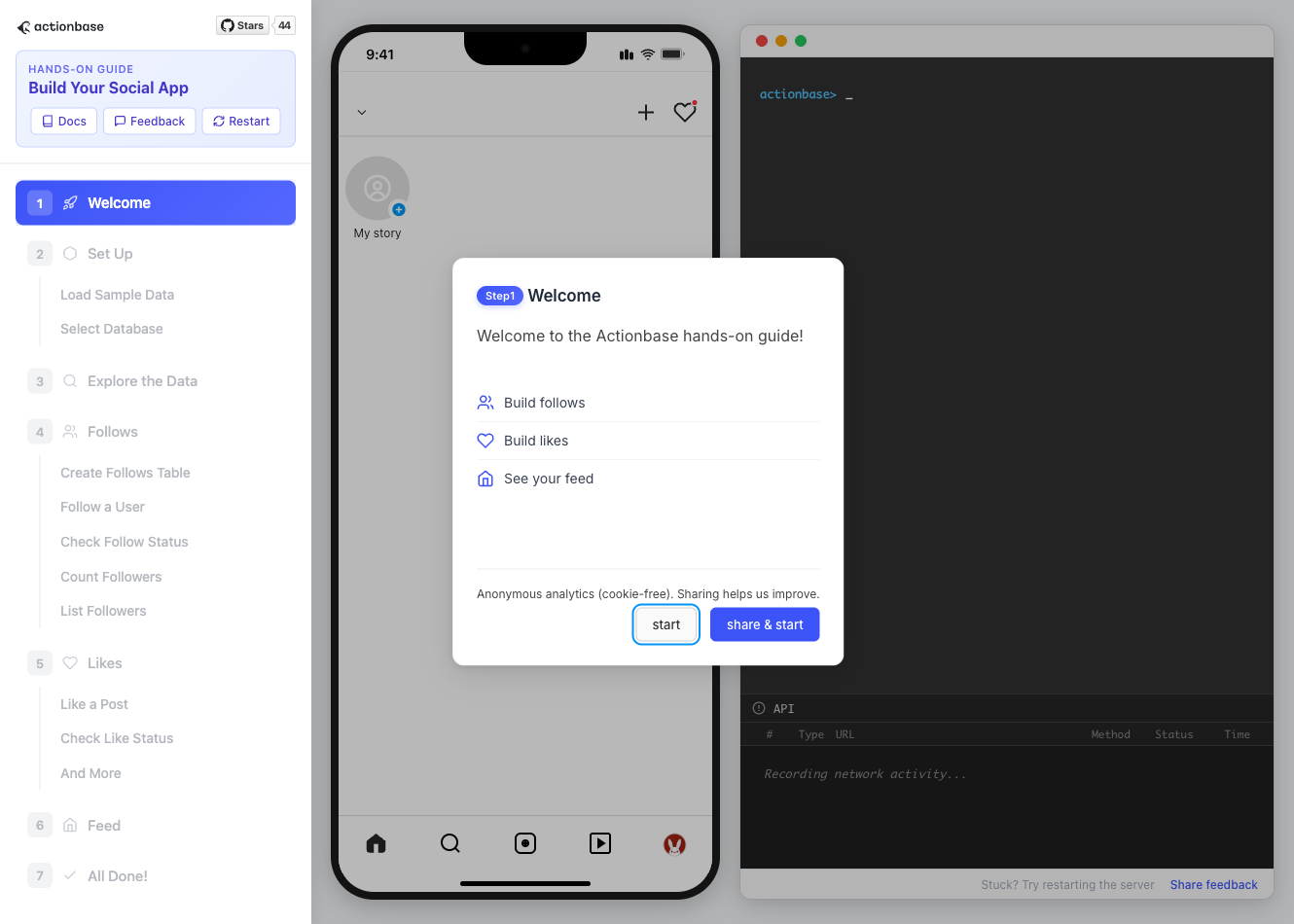 4. **Open in your browser** ```plaintext http://localhost:9300 ``` The sections below summarize what you’ll see — you can read through without running the guide, or use them as a reference while following along. ## Follow the Guide [Section titled “Follow the Guide”](#follow-the-guide) From here, continue in the **web browser**. The interactive guide walks you through each step. 1. **Welcome** Welcome to the Actionbase hands-on guide! In this tutorial, you will: * Build follows * Build likes * See your feed 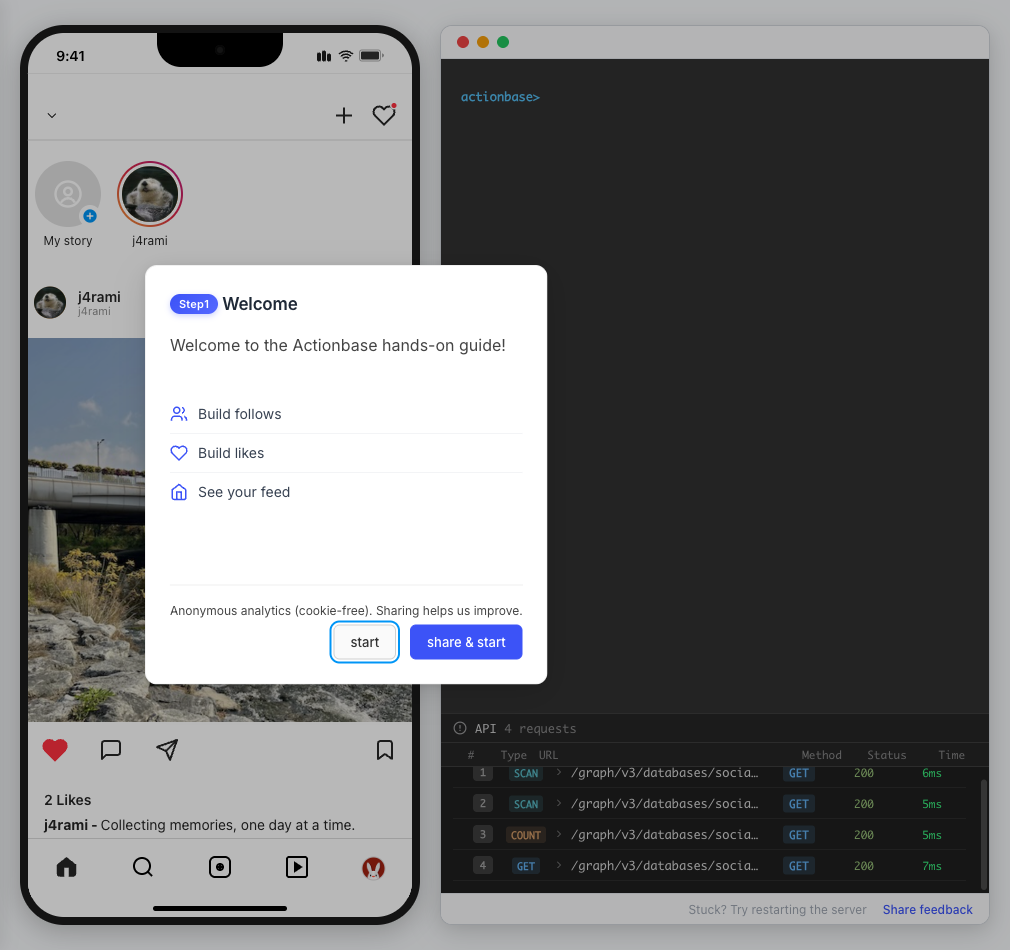 2. **You are @zipdoki** You will play as **@zipdoki** throughout this tutorial. **Tip:** Press **Enter** to proceed. 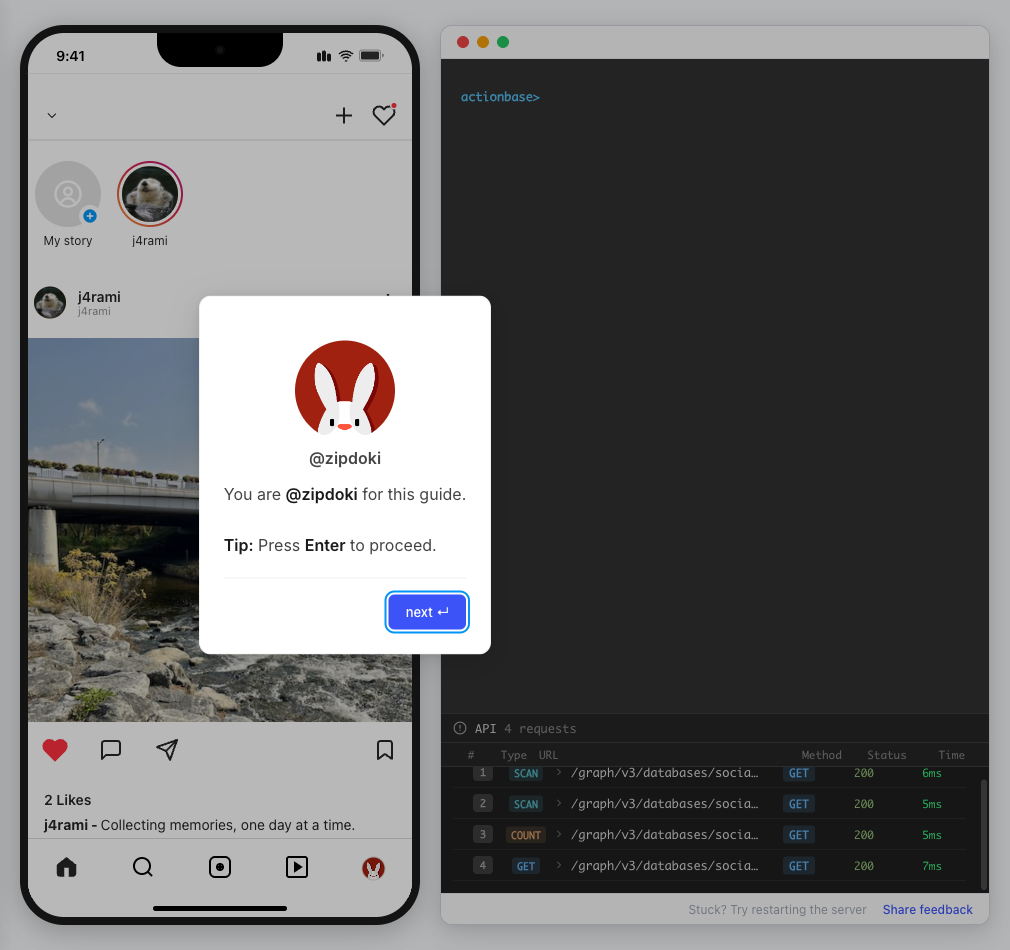 3. **Set Up** First, let’s load **sample data** so you can focus on building. * Create database & tables * Add sample users & posts 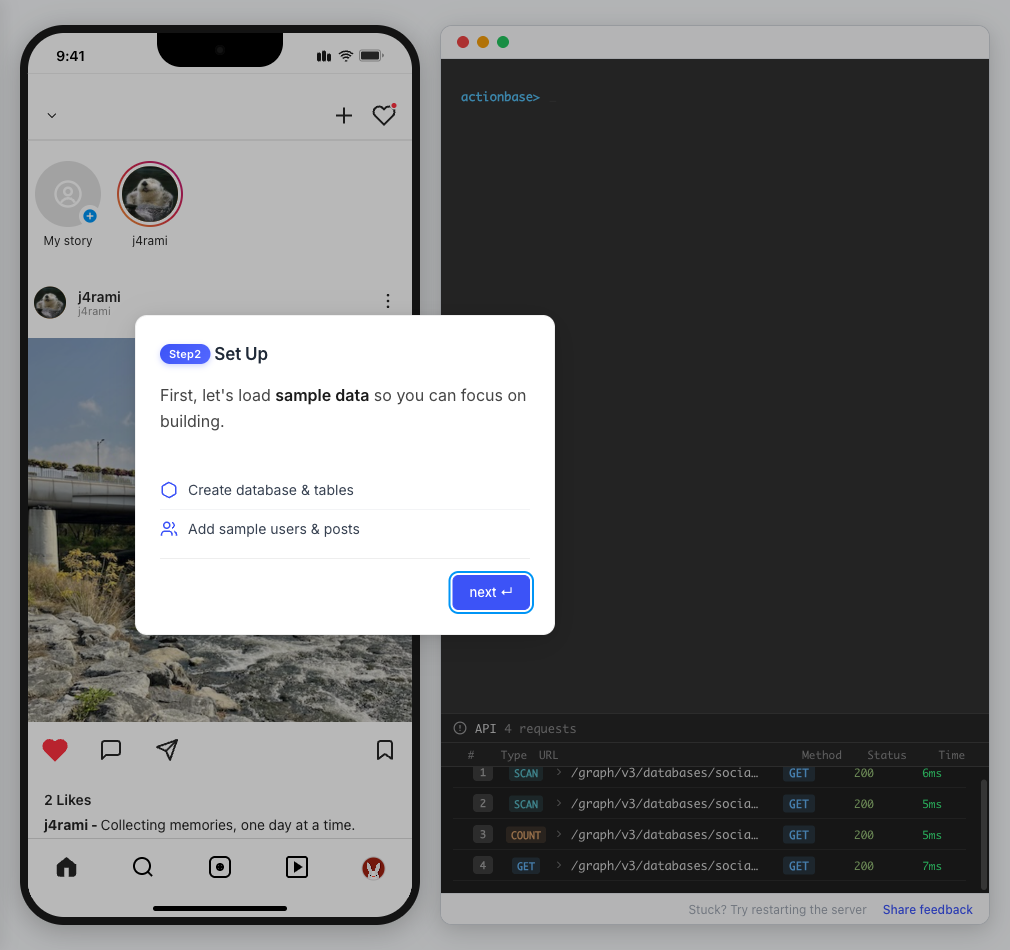 4. **Load Sample Data** Click **Run** to create: * Database with users * Posts & likes tables ```bash load preset build-your-social-app ``` 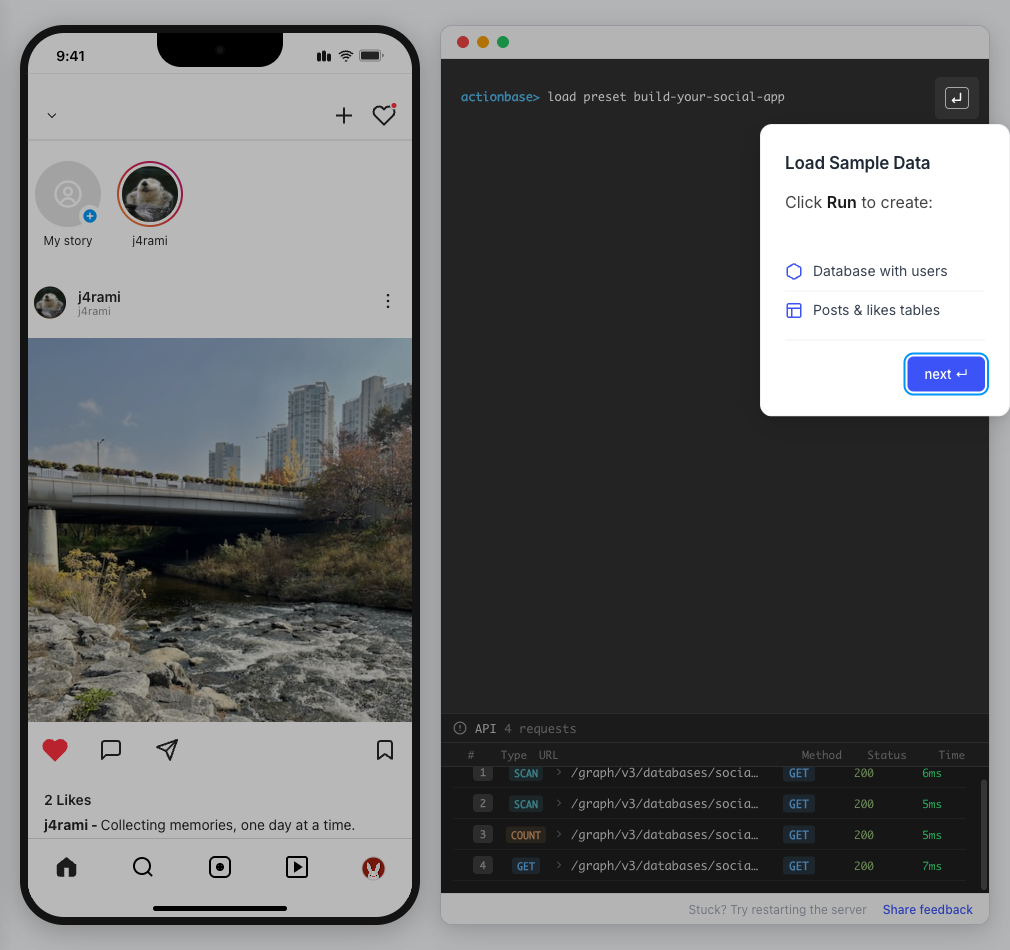 5. **Select Database** Switch to the `social` database. * Use database social ```bash use database social ``` 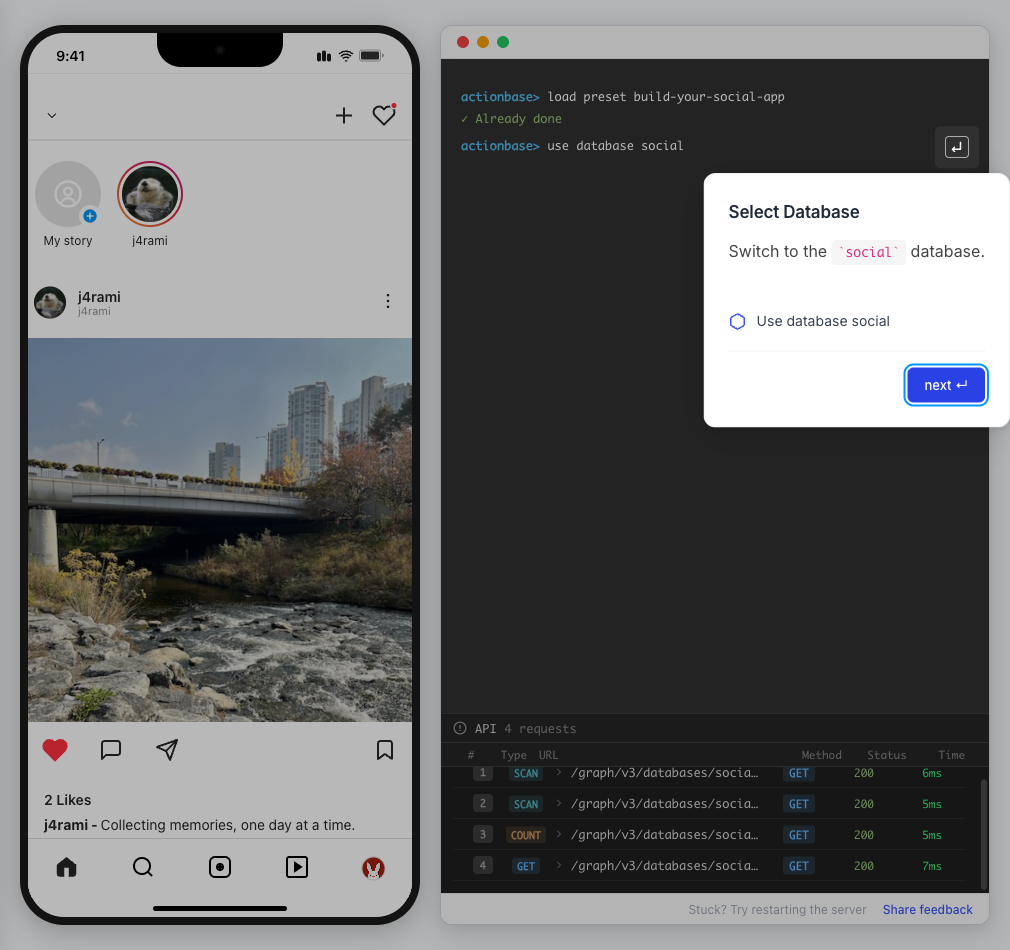 6. **Explore the Data** In the previous step, we created these tables: * user\_posts — who posted what * user\_likes — who liked which post Browse around before we add new interactions. 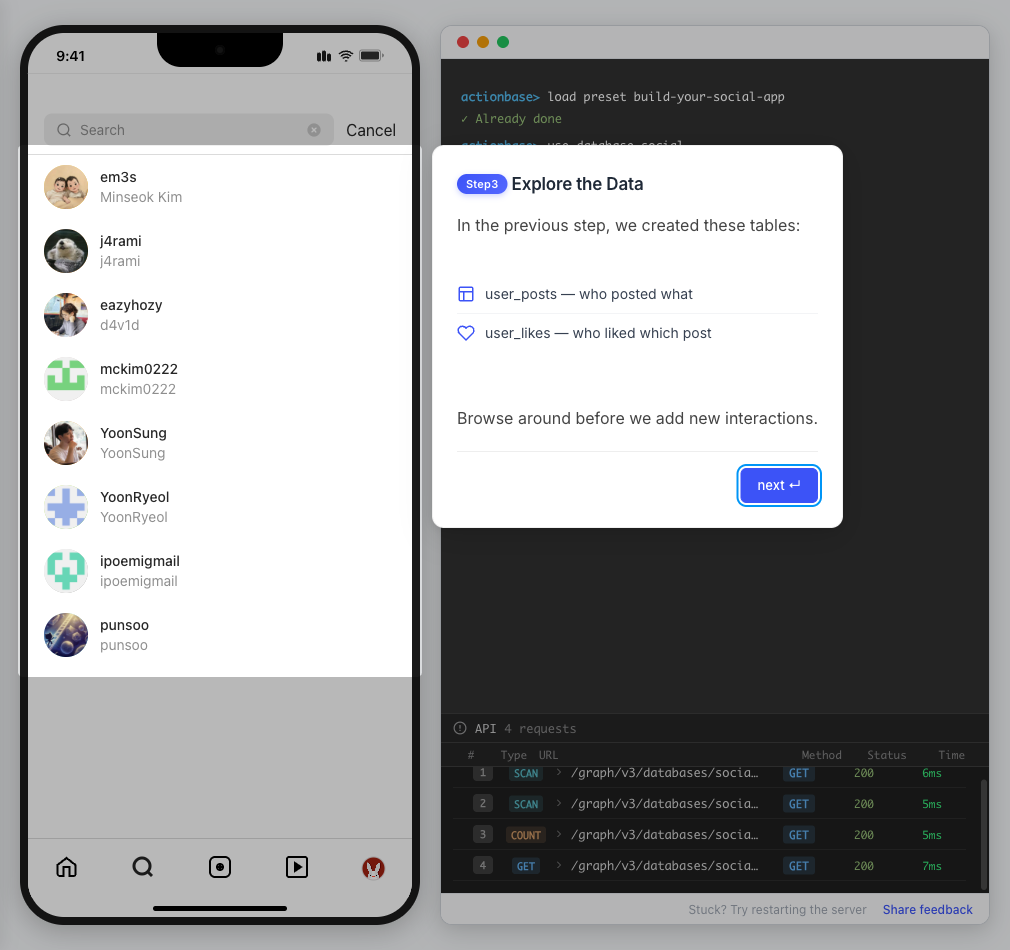 7. **Follows** Let’s build a **follow** feature. * Create a table * Add a relationship * Query it 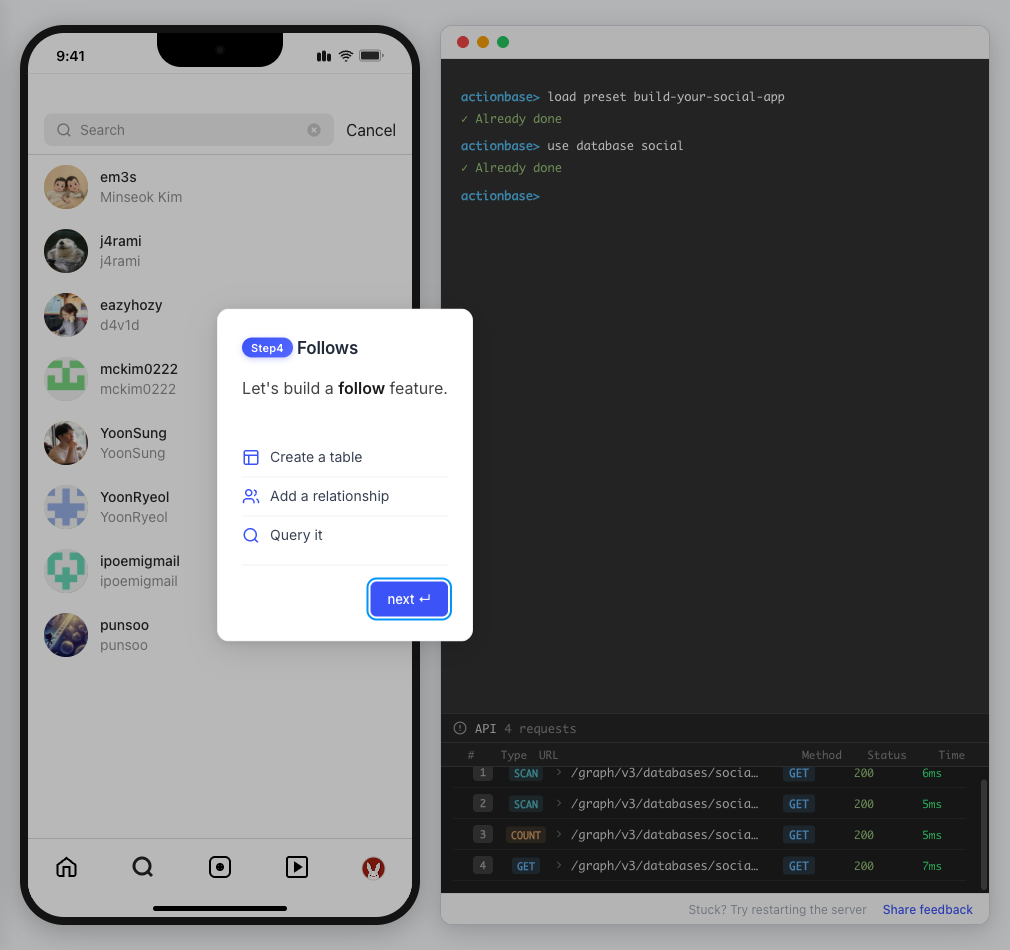 8. **Create Follows Table** Create a `user_follows` table. * Who follows whom 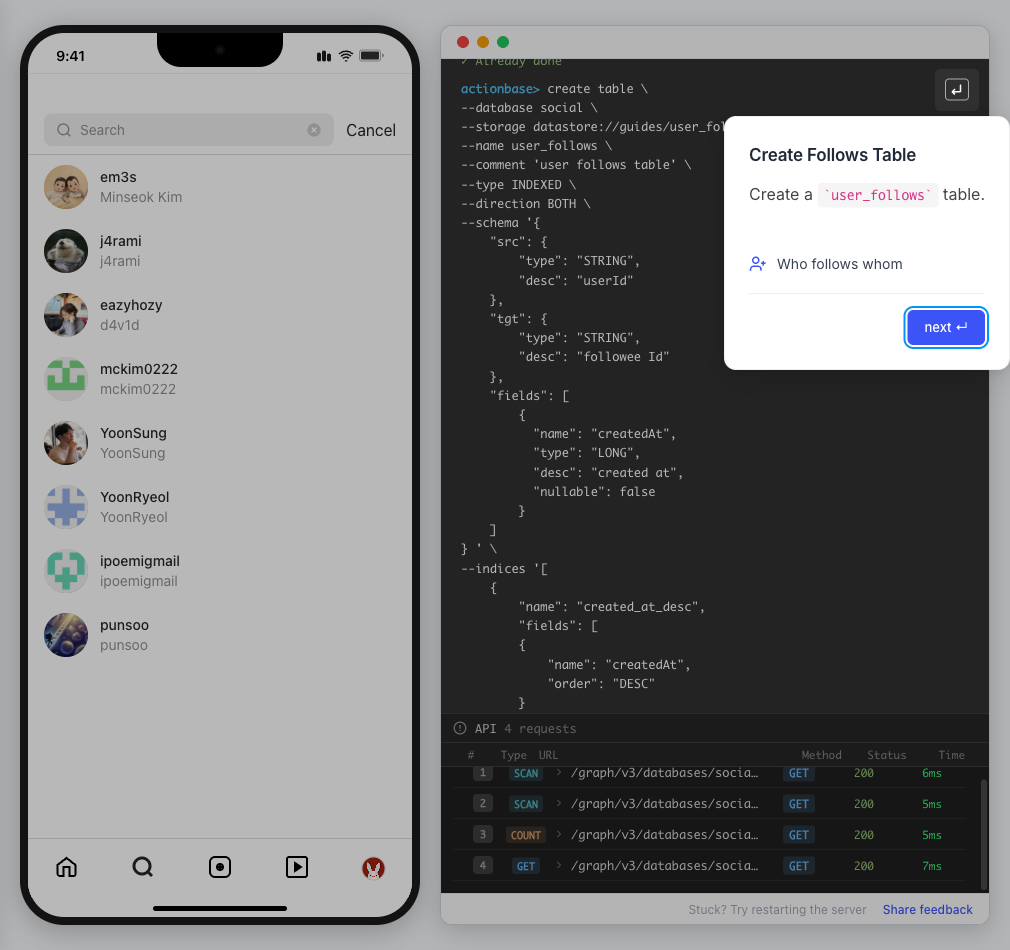 9. **Follow a User** Make **@zipdoki** follow **@j4rami**. This creates a connection between two users. * Precomputing count & index ```bash mutate user_follows --type INSERT --source zipdoki --target j4rami ... ``` 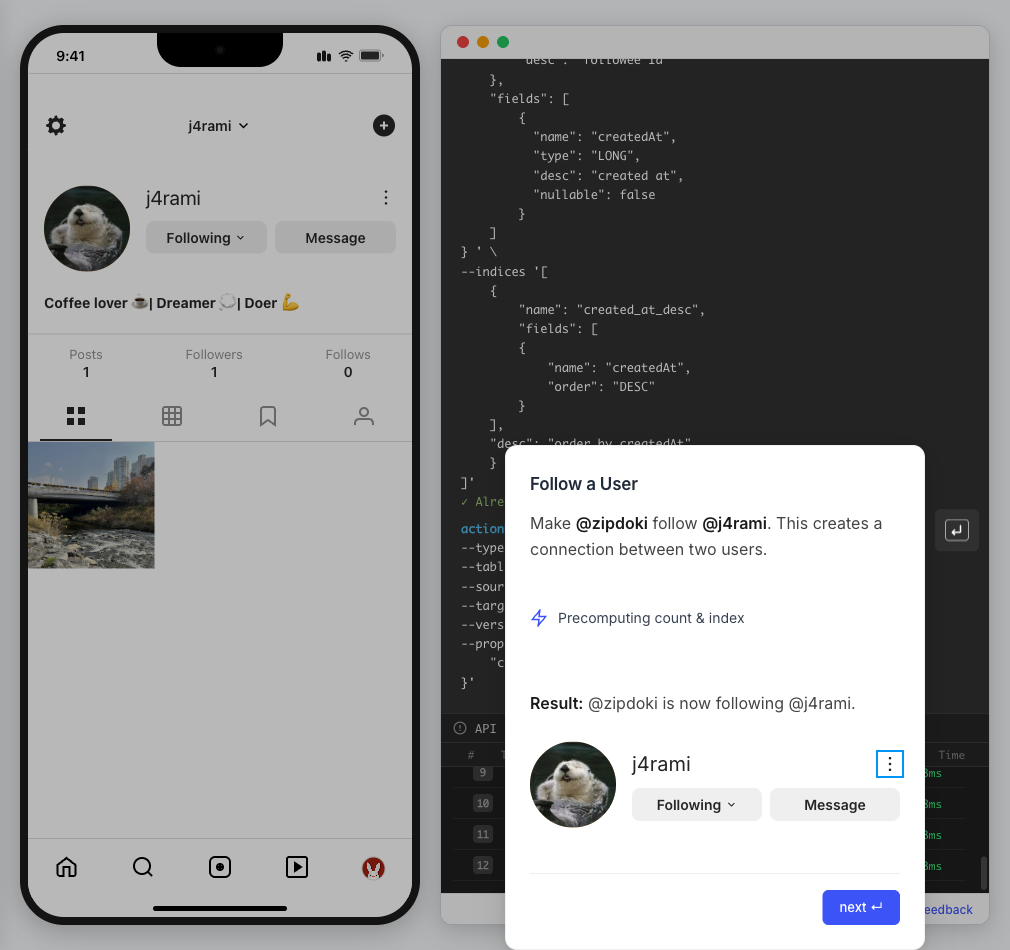 10. **Check Follow Status** Verify the follow exists. * Query relationship ```bash get user_follows --source zipdoki --target j4rami ``` 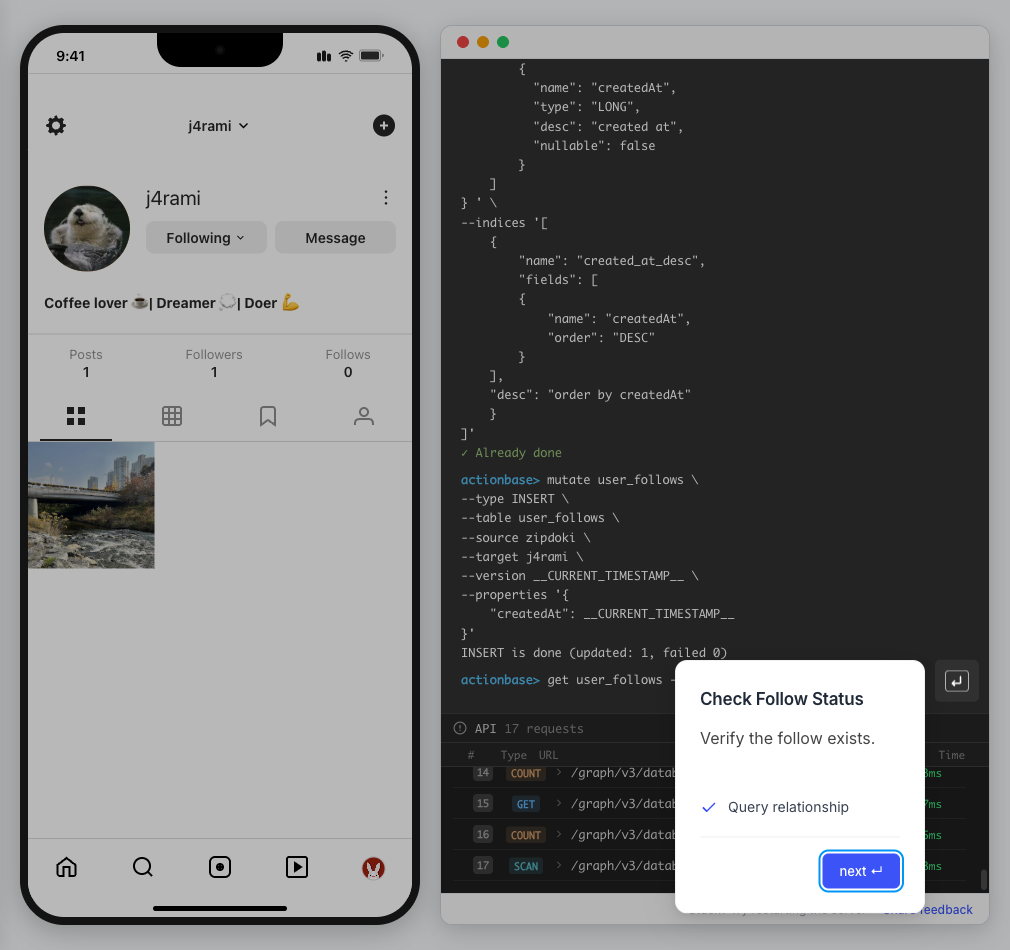 11. **Count Followers** Get **@j4rami**’s follower count. * No aggregation ```bash count user_follows --start j4rami --direction IN ``` 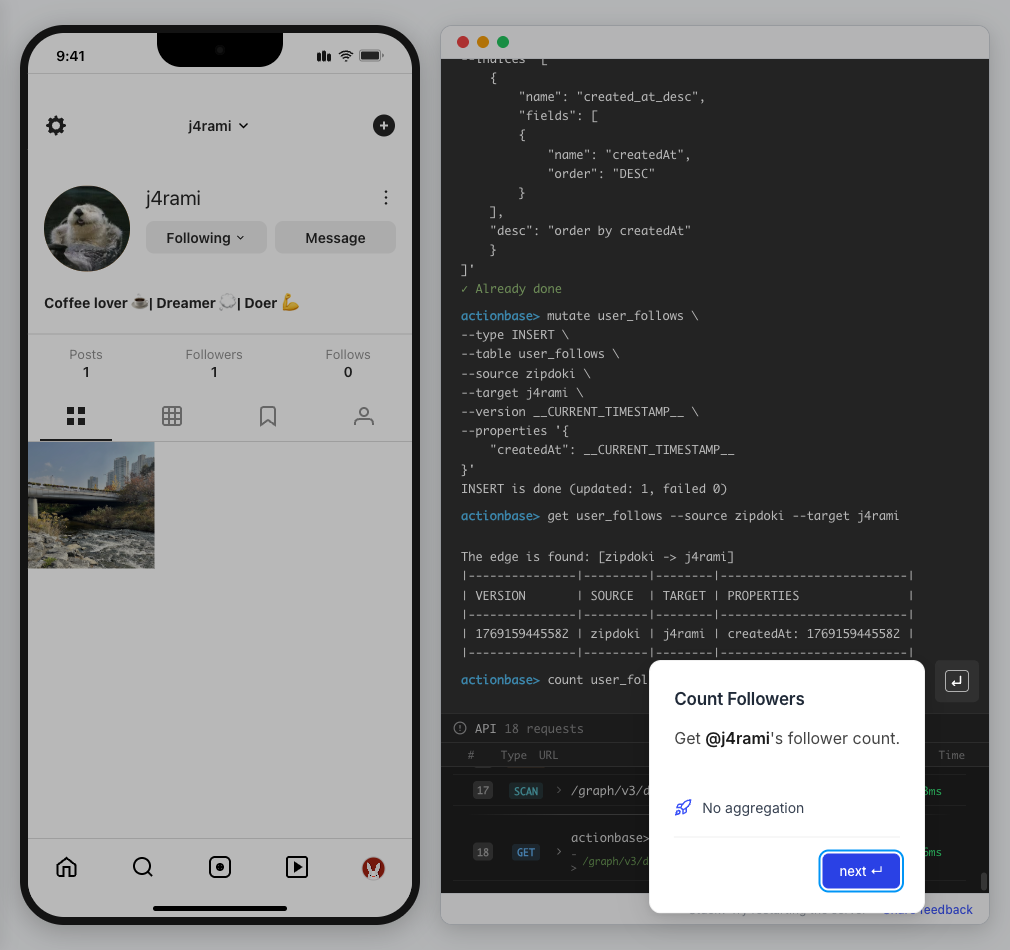 12. **List Followers** Get the list of users following **@j4rami**. * Already indexed ```bash scan user_follows --start j4rami --index created_at_desc --direction IN ``` 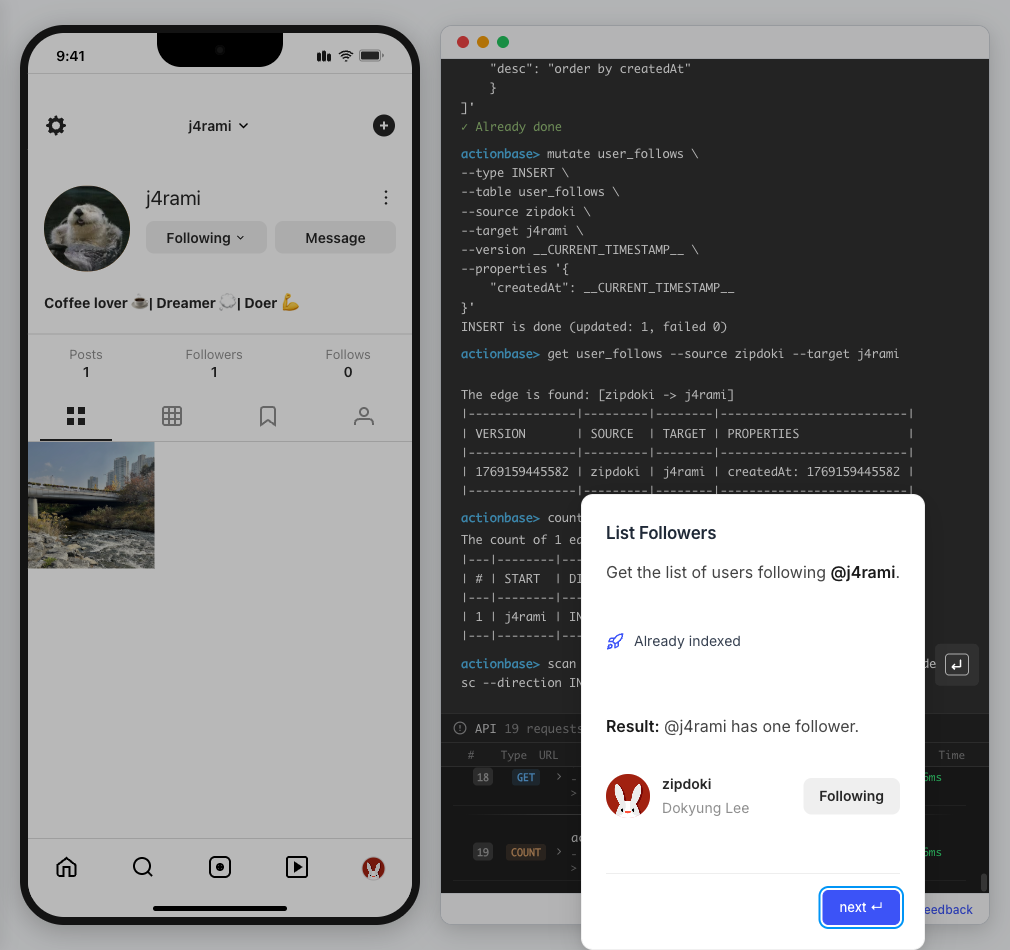 13. **Likes** Now let’s add **likes**. Same pattern as follows. * A user interacts with a post 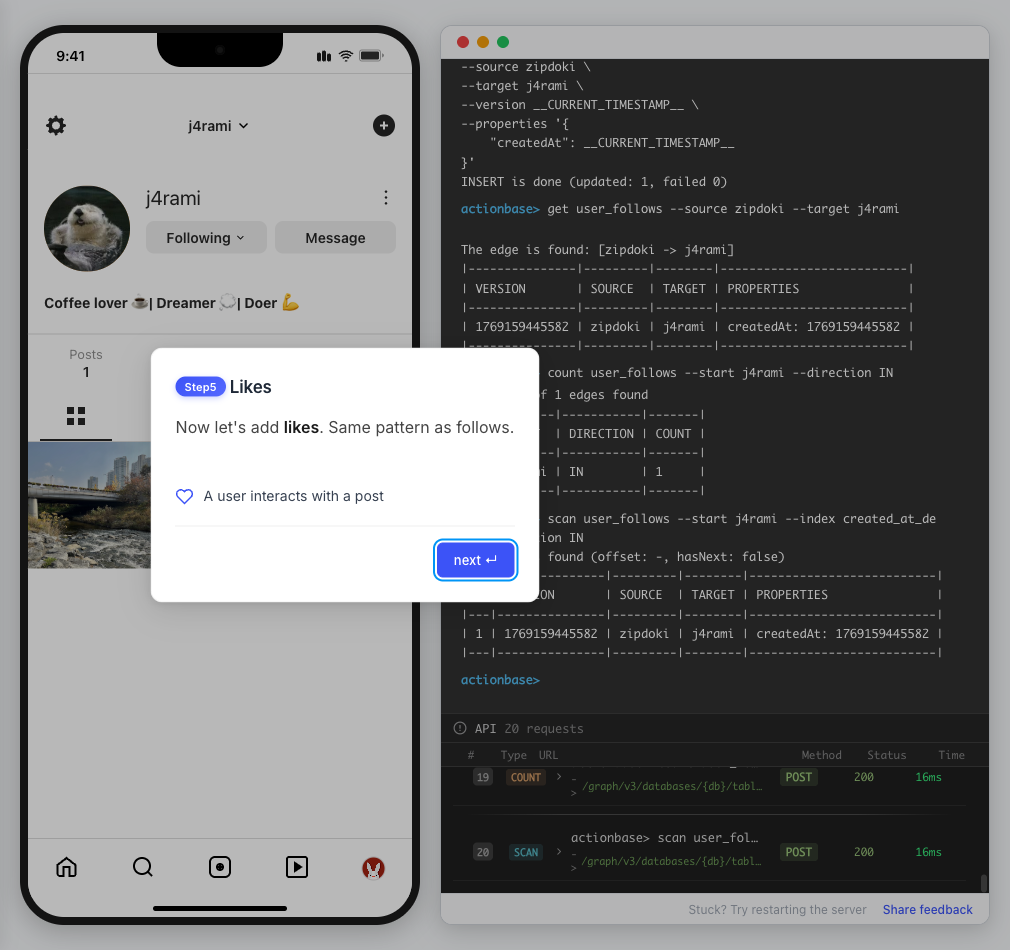 14. **Like a Post** Make **@zipdoki** like **@j4rami**’s post. * Precomputing count & index ```bash mutate user_likes --type INSERT --source zipdoki --target 1 ... ``` 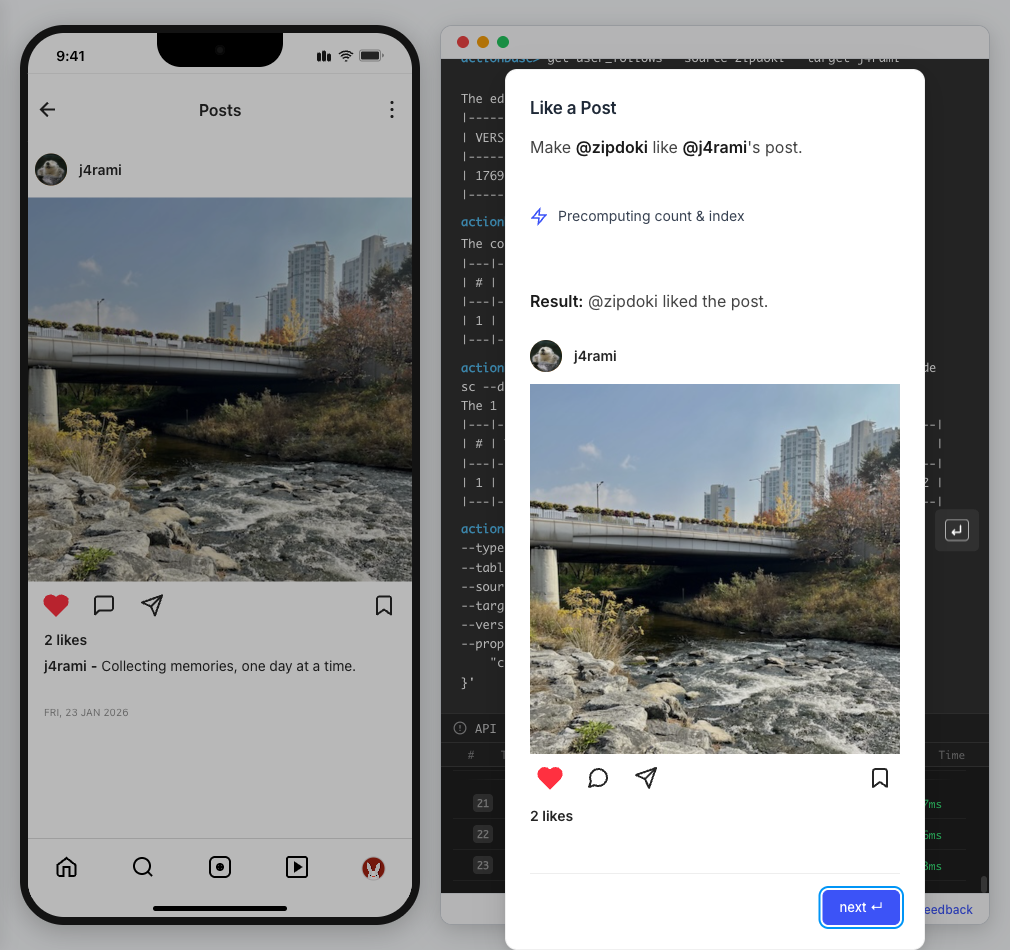 15. **Check Like Status** Verify that **@zipdoki**’s like was recorded. * Query like status ```bash get user_likes --source zipdoki --target 1 ``` 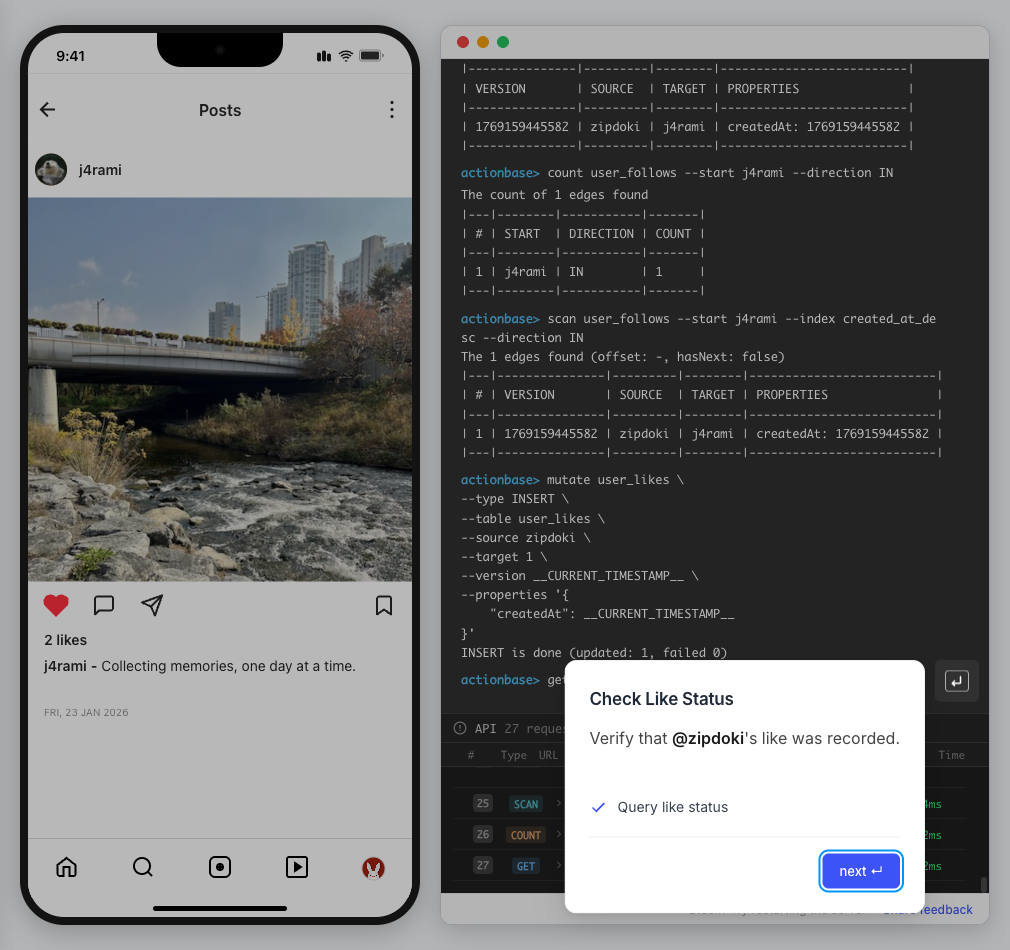 16. **And More** Just like follows, you can: * Count likes * List who liked a post Same pattern, same simplicity. 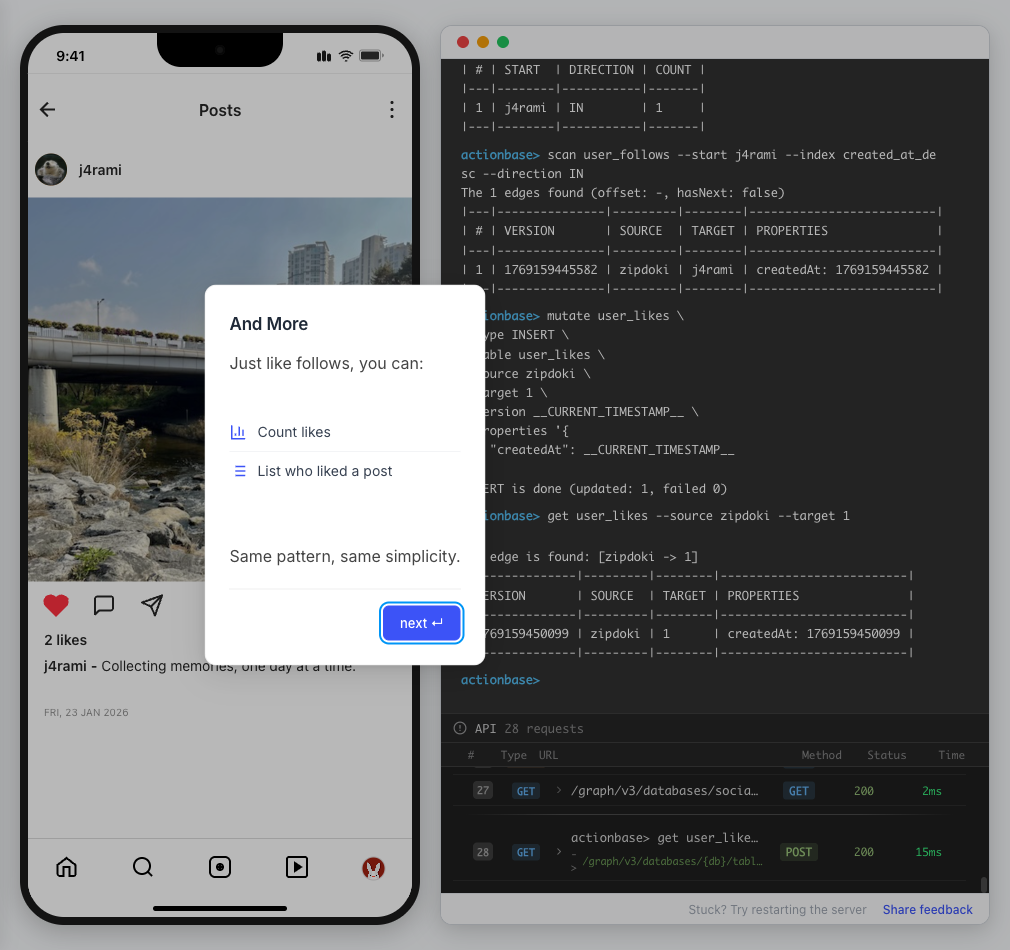 17. **Feed** Your **feed** now shows: * Posts from users you follow * Real like counts This is the core pattern behind most social apps. 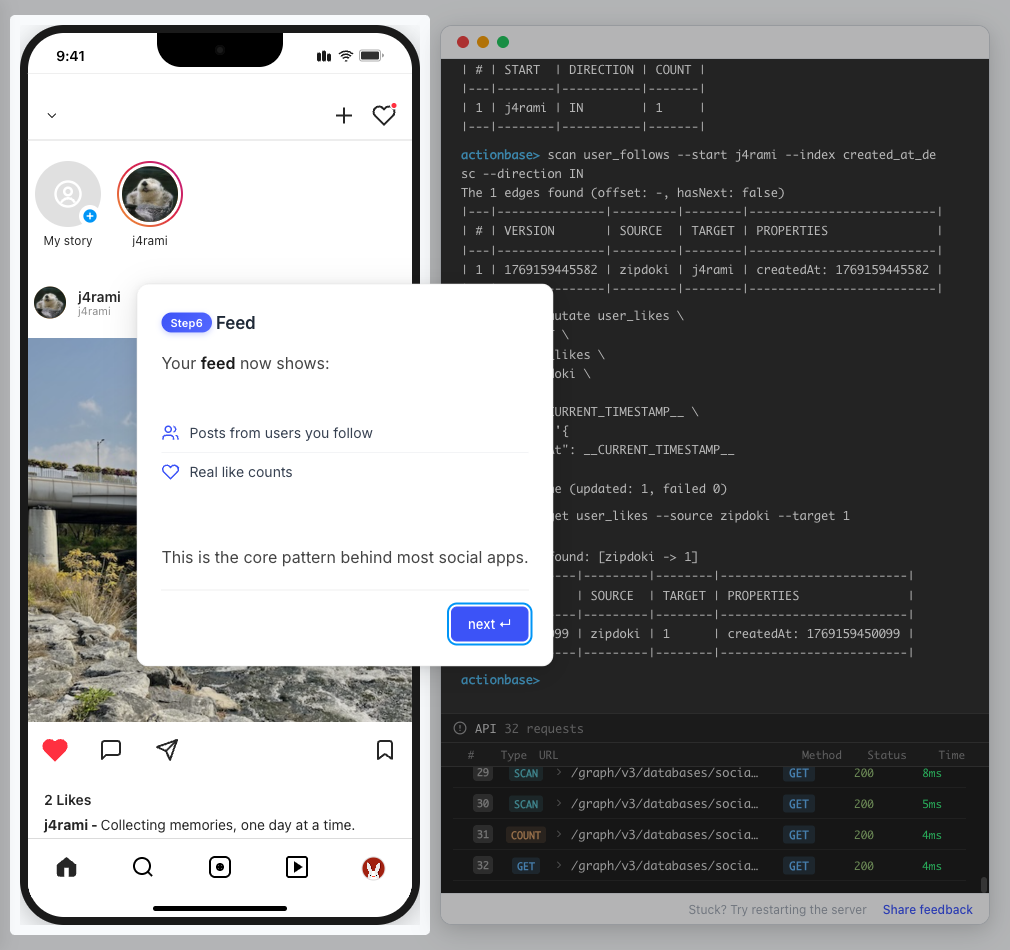 18. **All Done!** You just built a **feed** with **follows** and **likes** — all powered by Actionbase. Now try it yourself: * Follow someone * Check your feed * Like a post 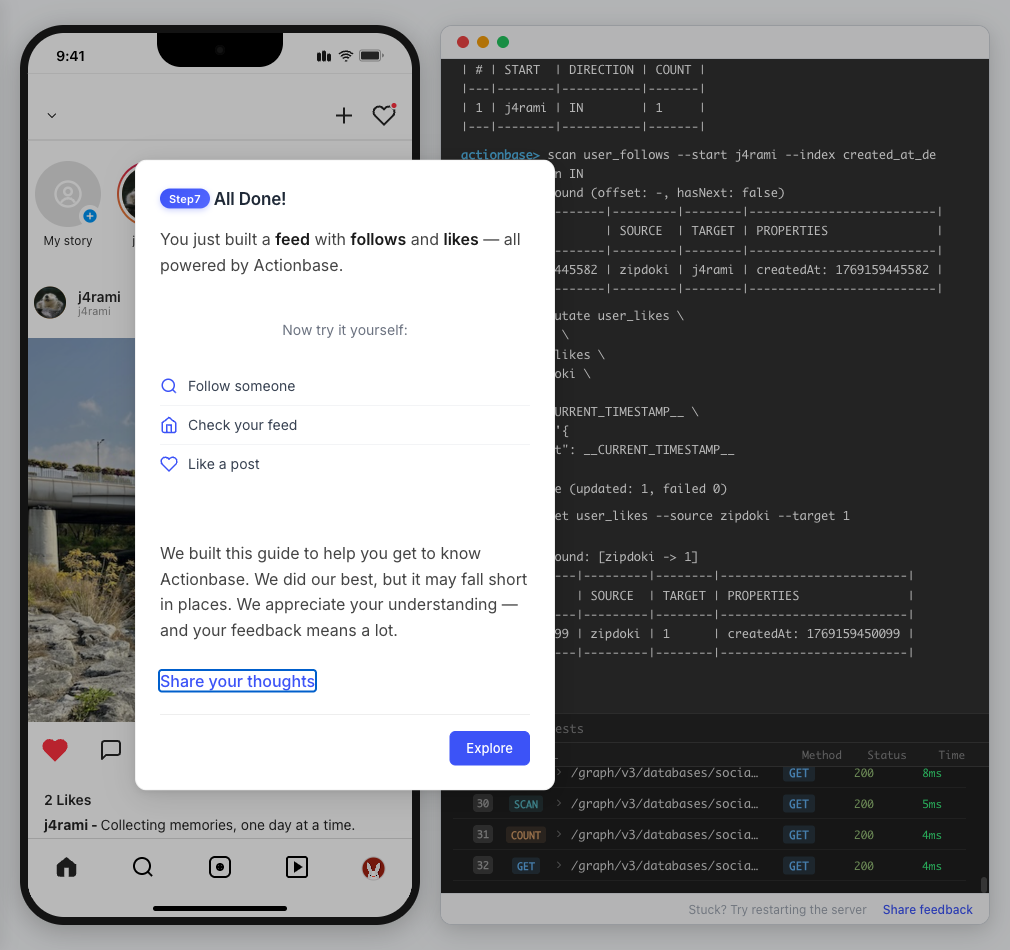 19. **Try It Yourself** Now it’s your turn to explore. The guide is complete, but the app is fully functional: * **Follow more users** - Search for users and build your network * **Check your feed** - See posts from people you follow * **Like posts** - Interact with content in your feed 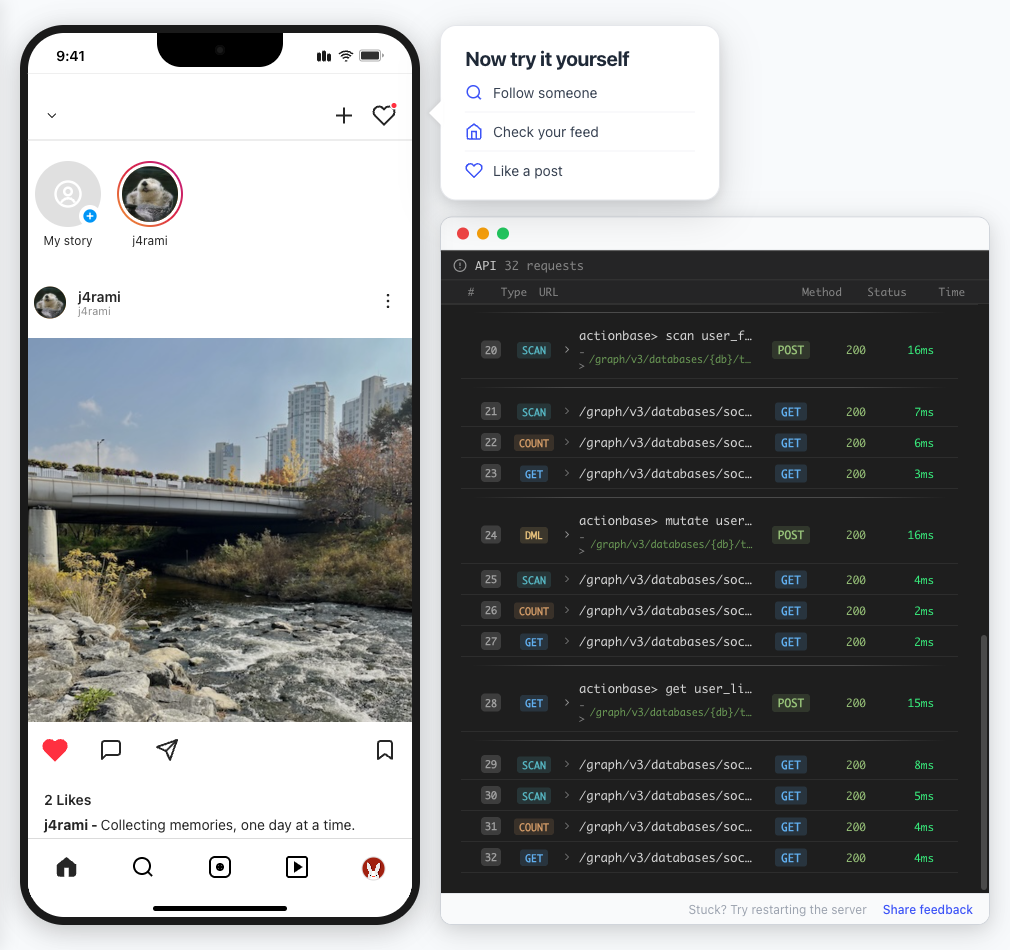 ## Summary [Section titled “Summary”](#summary) You just built a feed with follows and likes - all powered by Actionbase. ### What You Learned [Section titled “What You Learned”](#what-you-learned) | Concept | Description | | ------------------ | -------------------------------------------------------------- | | **Tables** | Create tables with schemas, indexes, and bidirectional queries | | **Mutations** | Insert edges representing user interactions | | **Queries** | Get individual edges, count totals, and scan with indexes | | **Precomputation** | Counts and indexes are computed at write time for fast reads | ### Next Steps [Section titled “Next Steps”](#next-steps) * [Quick Start](/quick-start/) — Core operations in minutes * [CLI Reference](/operations/cli/) — Full CLI documentation * [Core Concepts](/design/concepts/) — How Actionbase works ### Share Your Feedback [Section titled “Share Your Feedback”](#share-your-feedback) Was this guide helpful? Did Actionbase’s concepts make sense? We’d love to hear your thoughts — questions, suggestions, or issues are all welcome. [Share feedback on GitHub Discussions](https://github.com/kakao/actionbase/discussions/94) ### Behind the Scenes [Section titled “Behind the Scenes”](#behind-the-scenes) Curious why we built this guide? [Read the story](/blog/hands-on-guide-story/).
# Encoding
> Internal data encoding and storage details
This document describes how Actionbase encodes and stores data internally. This information is primarily for contributors and those who need to understand the low-level storage format. For high-level concepts, see [Core Concepts](/design/concepts/). ## Row Types [Section titled “Row Types”](#row-types) Actionbase stores edge data using multiple row types in the storage backend. Each row type serves a specific query purpose. | Row Type | Type Code | Purpose | Query Type | | ---------- | --------- | ------------------ | ---------- | | Edge State | -3 | Current edge state | Get | | Edge Index | -4 | Index entries | Scan | | Edge Count | -2 | Edge counts | Count | ## Edge State (Type Code: -3) [Section titled “Edge State (Type Code: -3)”](#edge-state-type-code--3) Stores the current state of edges for Get queries. ### Key Structure [Section titled “Key Structure”](#key-structure) ```plaintext [4-byte hash] + [1-byte + source] + [1-byte + table code] + [1-byte + type code(-3)] + [1-byte + target] ``` ### Value Structure [Section titled “Value Structure”](#value-structure) | Field | Type | Description | | ---------- | ------- | ----------------------------------------- | | active | Boolean | Edge active status | | version | Long | Edge version | | properties | Map | Property values with version per property | | createdAt | Long | Creation timestamp | | deletedAt | Long | Deletion timestamp | ## Edge Index (Type Code: -4) [Section titled “Edge Index (Type Code: -4)”](#edge-index-type-code--4) Stores index entries for Scan queries. Uses **Narrow Row** format for high-cardinality indexes. ### Key Structure [Section titled “Key Structure”](#key-structure-1) ```plaintext [4-byte hash] + [1-byte + directed source] + [1-byte + table code] + [1-byte + type code(-4)] + [1-byte + direction] + [1-byte + index code] + [(1-byte + N) * # index values] + [1-byte + directed target] ``` ### Value Structure [Section titled “Value Structure”](#value-structure-1) | Field | Type | Description | | ---------- | ---- | --------------- | | version | Long | Edge version | | properties | Map | Property values | ## Edge Count (Type Code: -2) [Section titled “Edge Count (Type Code: -2)”](#edge-count-type-code--2) Stores counters for Count queries. Uses the storage backend’s `increment` operation. ### Key Structure [Section titled “Key Structure”](#key-structure-2) ```plaintext [4-byte hash] + [1-byte + directed source] + [1-byte + table code] + [1-byte + type code(-2)] + [1-byte + direction] ``` ### Value Structure [Section titled “Value Structure”](#value-structure-2) | Field | Type | Description | | ----- | ---- | ----------- | | count | Long | Edge count | ## Row Key Encoding [Section titled “Row Key Encoding”](#row-key-encoding) All row keys follow a common pattern: ```plaintext [4-byte hash] + [1-byte + source] + [1-byte + table code] + [1-byte + type code] + [additional fields...] ``` | Component | Size | Purpose | | ------------- | -------- | --------------------------------- | | Hash | 4 bytes | xxhash32 for region distribution | | Type Code | 1 byte | Identifies data type (-2, -3, -4) | | Source/Target | Variable | Prefixed with 1-byte length | The hash prefix ensures even distribution across HBase regions, preventing hotspots. ## Value Encoding [Section titled “Value Encoding”](#value-encoding) Actionbase uses byte headers to maintain type information: ### Format [Section titled “Format”](#format) ```plaintext [1-byte type information] + [actual value] ``` ### Type Information [Section titled “Type Information”](#type-information) | Aspect | Description | | ---------- | -------------------------------------------------- | | Type Code | Distinguishes NULL, STRING, INT, FLOAT, JSON, etc. | | Sort Order | Includes ASC/DESC for index ordering | | Encoding | Values encoded according to sort order | ### Version Tracking [Section titled “Version Tracking”](#version-tracking) | Row Type | Version Scope | | --------- | -------------------- | | EdgeState | Version per property | | EdgeIndex | Version per edge | ## Key Design Principles [Section titled “Key Design Principles”](#key-design-principles) ### Hash Prefix [Section titled “Hash Prefix”](#hash-prefix) The 4-byte xxhash32 prefix ensures: * Even distribution across storage regions * Prevention of write hotspots * Balanced read/write load ### Negative Type Codes [Section titled “Negative Type Codes”](#negative-type-codes) Type codes use negative values (-2, -3, -4) to: * Separate from user data * Enable efficient key range scanning * Provide clear type identification ### Length-Prefixed Strings [Section titled “Length-Prefixed Strings”](#length-prefixed-strings) All variable-length fields use 1-byte length prefix: * Enables efficient parsing * Supports binary-safe encoding * Allows prefix-based scanning
# Benchmarks
> Performance benchmarks and metrics for Actionbase
Performance benchmarks for Actionbase. **Note:** At this initial release, benchmark results are approximate. We plan to provide transparent benchmarks using generalized datasets in future releases. ## Production Infrastructure [Section titled “Production Infrastructure”](#production-infrastructure) Actionbase runs as stateless services that can scale horizontally: * **Ingress** (Actionbase): 9 nodes (6 cores, 12GB RAM) — API gateway, request routing * **Worker** (Actionbase): 9 nodes (40 cores, 64GB RAM) — mutation processing, query execution * **HBase**: 9 region servers (20 cores, 64GB RAM each) — storage backend Ingress and Worker are Actionbase deployments. They maintain no local state—all data resides in the storage backend (HBase). This stateless architecture enables: * **Horizontal scaling**: Add nodes without data migration * **Rolling updates**: Deploy without downtime * **Failure recovery**: Any node can handle any request ## Production Traffic [Section titled “Production Traffic”](#production-traffic) Current peak: \~33k RPS (2M RPM). Typical workload: \~15% write, \~85% read. * **Latency**: Read \~5ms, Write \~20ms ## Capacity [Section titled “Capacity”](#capacity) 60k+ RPS in internal testing. ## Scalability [Section titled “Scalability”](#scalability) Linear within tested range.
# CLI
> Command-line interface for interacting with Actionbase
The Actionbase CLI provides an interactive console for managing databases, tables, and edges. It connects to an Actionbase server and supports all metadata and data operations. ## Installation [Section titled “Installation”](#installation) * Docker (Recommended) The easiest way to experience Actionbase is using Docker. The standalone image runs the server in the background and the CLI in the foreground: ```bash docker run -it --pull always ghcr.io/kakao/actionbase:standalone ``` This is sufficient for exploring Actionbase and understanding its core capabilities. * Homebrew ```bash brew tap kakao/actionbase https://github.com/kakao/actionbase brew install actionbase ``` * From Source ```bash git clone https://github.com/kakao/actionbase.git cd actionbase/cli make build ``` The binary is created at `cli/bin/actionbase`. ## Starting the CLI [Section titled “Starting the CLI”](#starting-the-cli) ```bash actionbase [options] ``` ### Startup Options [Section titled “Startup Options”](#startup-options) | Option | Description | Default | | ----------------- | ---------------------------------------------------- | ----------------------- | | `--host ` | Actionbase server URL | `http://localhost:8080` | | `--authKey ` | Authentication key | (none) | | `--debug` | Enable debug logging (shows HTTP requests/responses) | off | | `--plain` | Plain text output mode (no colors) | off | | `--proxy [port]` | Start in proxy mode for interactive guides | `9300` | | `--version` | Display CLI version and exit | | ### Examples [Section titled “Examples”](#examples) ```bash # Connect to local server actionbase # Connect to remote server actionbase --host https://actionbase.example.com # Enable debug mode to see HTTP traffic actionbase --debug # Start with proxy mode for guides actionbase --proxy ``` ## Context Management [Section titled “Context Management”](#context-management) The CLI maintains session context for database and table selection. The prompt displays the current context: ```plaintext actionbase> # No context actionbase(mydb)> # Database selected actionbase(mydb:mytable)> # Database and table selected ``` ### context [Section titled “context”](#context) Display current session state. ```plaintext context ``` **Output includes:** * Current host URL * Current database * Current table or alias * Proxy mode status (on/off with port) * Debug mode status (on/off) **Example:** ```plaintext actionbase> context │ |----------|--------------------------------| │ | KEY | VALUE | │ |----------|--------------------------------| │ | host | http://localhost:8080 | │ | database | likes | │ | table | likes | │ | alias | | │ | proxy | off (port -) | │ | debug | off | │ |----------|--------------------------------| ``` ### use [Section titled “use”](#use) Switch the current database, table, or alias context. ```plaintext use ``` | Subcommand | Description | | --------------------- | --------------------------------------------------------- | | `use database ` | Switch to specified database (clears table/alias context) | | `use table ` | Switch to specified table (requires database context) | | `use alias ` | Switch to specified alias (requires database context) | **Examples:** ```plaintext actionbase> use database likes │ Current database: likes actionbase(likes)> use table likes │ Current table: likes actionbase(likes:likes)> ``` ### debug [Section titled “debug”](#debug) Enable or disable debug mode. When enabled, HTTP requests and responses are logged. ```plaintext debug ``` **Example:** ```plaintext actionbase> debug on │ Debugging is on actionbase> get --source Alice --target Phone │ → GET /graph/v3/databases/likes/tables/likes/edges/get?source=Alice&target=Phone │ ← 200 OK {"edges":[...]} ``` ## Metadata Operations [Section titled “Metadata Operations”](#metadata-operations) ### create [Section titled “create”](#create) Create databases, storages, tables, or aliases. #### create database [Section titled “create database”](#create-database) ```plaintext create database --name --comment ``` | Flag | Required | Description | | ----------- | -------- | -------------------- | | `--name` | Yes | Database name | | `--comment` | Yes | Database description | **Example:** ```plaintext actionbase> create database --name social --comment "Social interactions" │ Database created: social ``` #### create storage [Section titled “create storage”](#create-storage) ```plaintext create storage --name --comment --storageType --hbaseNamespace --hbaseTable
``` | Flag | Required | Description | | ------------------ | -------- | ------------------- | | `--name` | Yes | Storage name | | `--comment` | Yes | Storage description | | `--storageType` | Yes | Storage type | | `--hbaseNamespace` | Yes | HBase namespace | | `--hbaseTable` | Yes | HBase table name | #### create table [Section titled “create table”](#create-table) ```plaintext create table --database --storage --name --comment --type --direction --schema [--indices ] [--groups ] ``` | Flag | Required | Description | | ------------- | -------- | ------------------------------- | | `--database` | Yes | Database name | | `--storage` | Yes | Storage name | | `--name` | Yes | Table name | | `--comment` | Yes | Table description | | `--type` | Yes | Table type | | `--direction` | Yes | Direction type (IN, OUT, BOTH) | | `--schema` | Yes | JSON schema definition | | `--indices` | No | JSON array of index definitions | | `--groups` | No | JSON array of group definitions | #### create alias [Section titled “create alias”](#create-alias) ```plaintext create alias --database --table
--name --comment ``` | Flag | Required | Description | | ------------ | -------- | ----------------- | | `--database` | Yes | Database name | | `--table` | Yes | Table name | | `--name` | Yes | Alias name | | `--comment` | Yes | Alias description | ### show [Section titled “show”](#show) Display databases, storages, tables, aliases, indices, or groups. ```plaintext show [--using ] ``` | Subcommand | Context Required | Description | | ---------------- | ---------------- | ------------------------------------------- | | `show databases` | None | List all databases | | `show storages` | None | List all storages with configuration | | `show tables` | Database | List tables in current database | | `show aliases` | Database | List aliases in current database | | `show indices` | Database + Table | Show indices for current or specified table | | `show groups` | Database + Table | Show groups for current or specified table | **Examples:** ```plaintext actionbase> show databases │ |-------|---------| │ | NAME | DESC | │ |-------|---------| │ | likes | Likes | │ | social| Social | │ |-------|---------| actionbase(likes)> show tables │ |-------|------|-----------| │ | NAME | TYPE | DIRECTION | │ |-------|------|-----------| │ | likes | ... | BOTH | │ |-------|------|-----------| actionbase(likes:likes)> show indices │ |------------------|--------| │ | NAME | FIELDS | │ |------------------|--------| │ | created_at_desc | ... | │ |------------------|--------| ``` ### desc [Section titled “desc”](#desc) Describe table or alias details including schema, fields, and indices. ```plaintext desc [] ``` If `` is omitted, describes the current table or alias. **Example:** ```plaintext actionbase(likes)> desc table likes │ Table: likes │ Type: INDEXED │ Direction: BOTH │ │ Source: STRING │ Target: STRING │ │ Fields: │ |------------|------|----------| │ | NAME | TYPE | NULLABLE | │ |------------|------|----------| │ | created_at | LONG | false | │ |------------|------|----------| ``` ## Data Operations [Section titled “Data Operations”](#data-operations) ### get [Section titled “get”](#get) Query a specific edge by source and target. ```plaintext get [
] --source --target ``` | Flag | Required | Description | | ---------- | -------- | --------------------------------------------- | | `[table]` | No | Table or alias name (uses current if omitted) | | `--source` | Yes | Source node ID | | `--target` | Yes | Target node ID | **Example:** ```plaintext actionbase(likes:likes)> get --source Alice --target Phone │ The edge is found: [Alice -> Phone] │ |---------------|--------|--------|---------------------------| │ | VERSION | SOURCE | TARGET | PROPERTIES | │ |---------------|--------|--------|---------------------------| │ | 1737377177245 | Alice | Phone | created_at: 1737377177245 | │ |---------------|--------|--------|---------------------------| ``` ### scan [Section titled “scan”](#scan) Scan edges using an index. ```plaintext scan [
] --index --start --direction [--ranges ] [--limit ] ``` | Flag | Required | Description | | ------------- | -------- | --------------------------------------------- | | `[table]` | No | Table or alias name (uses current if omitted) | | `--index` | Yes | Index name to scan | | `--start` | Yes | Starting node ID | | `--direction` | Yes | Scan direction: IN, OUT, or BOTH | | `--ranges` | No | Range specification for filtering | | `--limit` | No | Maximum rows to return (default: 25) | **Example:** ```plaintext actionbase(likes:likes)> scan --index created_at_desc --start Alice --direction OUT │ The 2 edges found (offset: -, hasNext: false) │ |---|---------------|--------|--------|---------------------------| │ | # | VERSION | SOURCE | TARGET | PROPERTIES | │ |---|---------------|--------|--------|---------------------------| │ | 1 | 1737377177297 | Alice | Laptop | created_at: 1737377177297 | │ | 2 | 1737377177245 | Alice | Phone | created_at: 1737377177245 | │ |---|---------------|--------|--------|---------------------------| ``` ### count [Section titled “count”](#count) Count edges for a specific node and direction. ```plaintext count [
] --start --direction ``` | Flag | Required | Description | | ------------- | -------- | --------------------------------------------- | | `[table]` | No | Table or alias name (uses current if omitted) | | `--start` | Yes | Starting node ID | | `--direction` | Yes | Direction: IN, OUT, or BOTH | **Example:** ```plaintext actionbase(likes:likes)> count --start Alice --direction OUT │ |-------|-------| │ | DIR | COUNT | │ |-------|-------| │ | OUT | 2 | │ |-------|-------| actionbase(likes:likes)> count --start Phone --direction IN │ |-------|-------| │ | DIR | COUNT | │ |-------|-------| │ | IN | 2 | │ |-------|-------| ``` ### mutate [Section titled “mutate”](#mutate) Insert, update, or delete edges. ```plaintext mutate [
] --type --source --target --version --properties ``` | Flag | Required | Description | | -------------- | -------- | -------------------------------------------------- | | `[table]` | No | Table or alias name (uses current if omitted) | | `--type` | Yes | Mutation type: INSERT, UPDATE, or DELETE | | `--source` | Yes | Source node ID | | `--target` | Yes | Target node ID | | `--version` | Yes | Timestamp/version (supports `$NOW` placeholder) | | `--properties` | Yes | JSON object with edge properties (supports `$NOW`) | **Example:** ```plaintext actionbase(likes:likes)> mutate --type INSERT --source Charlie --target Phone --version $NOW --properties '{"created_at": $NOW}' │ Mutation result: 1 updated, 0 failed ``` ## Utility Commands [Section titled “Utility Commands”](#utility-commands) ### load [Section titled “load”](#load) Load and execute commands from a YAML file or preset. ```plaintext load [--ref ] ``` #### load file [Section titled “load file”](#load-file) Load commands from a local YAML file: ```plaintext load file ``` **YAML file format:** ```yaml - name: 'Create database' description: 'Optional description' command: "create database --name mydb --comment 'My database'" - name: 'Use database' command: 'use database mydb' ``` #### load preset [Section titled “load preset”](#load-preset) Download and execute a preset from the Actionbase GitHub repository: ```plaintext load preset [--ref ] ``` | Flag | Required | Description | | -------- | -------- | --------------------------- | | `` | Yes | Preset name | | `--ref` | No | Git branch or tag reference | **Available presets:** | Preset | Description | | ----------------- | ------------------------------------------------- | | `likes` | Sample likes data (Alice/Bob liking Phone/Laptop) | | `hands-on-social` | Social media application demo data | **Example:** ```plaintext actionbase> load preset likes │ 3 edges inserted │ - Alice → Phone │ - Alice → Laptop │ - Bob → Phone ``` ### guide [Section titled “guide”](#guide) Start an interactive guide. Requires proxy mode (`--proxy` flag at startup). ```plaintext guide start ``` **Available guides:** | Guide | Description | | ----------------- | --------------------------------------------- | | `hands-on-social` | Interactive social media application tutorial | **Example:** ```bash # Start CLI with proxy mode actionbase --proxy # Then start the guide actionbase> guide start hands-on-social ``` The guide opens a browser-based interactive tutorial that sends commands to the CLI. ### help [Section titled “help”](#help) Display all available commands with descriptions and usage. ```plaintext help ``` **Example:** ```plaintext actionbase> help │ Available commands │ |---------|-------------------------------|----------------------------------------| │ | NAME | DESCRIPTION | USAGE | │ |---------|-------------------------------|----------------------------------------| │ | context | Show current status | `context` | │ | create | Create database/storage/... | `create ` | │ | ... | ... | ... | │ |---------|-------------------------------|----------------------------------------| ``` ### exit [Section titled “exit”](#exit) Exit the CLI console. ```plaintext exit ``` You can also press `Ctrl+C` or `Ctrl+D` to exit. ## Common Workflows [Section titled “Common Workflows”](#common-workflows) ### Quick Start: Create and Query Data [Section titled “Quick Start: Create and Query Data”](#quick-start-create-and-query-data) ```plaintext # 1. Load sample data using preset actionbase> load preset likes # 2. Check current context (database and table are set automatically) actionbase(likes:likes)> context # 3. Query a specific edge actionbase(likes:likes)> get --source Alice --target Phone # 4. Scan all edges from Alice actionbase(likes:likes)> scan --index created_at_desc --start Alice --direction OUT # 5. Count edges actionbase(likes:likes)> count --start Phone --direction IN ``` ### Data Operations Workflow [Section titled “Data Operations Workflow”](#data-operations-workflow) ```plaintext # 1. Select database and table actionbase> use database social actionbase(social)> use table follows # 2. Insert an edge actionbase(social:follows)> mutate --type INSERT --source user1 --target user2 --version $NOW --properties '{"created_at": $NOW}' # 3. Verify the edge actionbase(social:follows)> get --source user1 --target user2 # 4. Delete the edge actionbase(social:follows)> mutate --type DELETE --source user1 --target user2 --version $NOW --properties '{}' ``` ### Interactive Learning with Guides [Section titled “Interactive Learning with Guides”](#interactive-learning-with-guides) ```bash # Start CLI with proxy mode enabled actionbase --proxy # Start the interactive guide actionbase> guide start hands-on-social ``` The guide opens in your browser and walks you through building a social media application. ## Reference [Section titled “Reference”](#reference) ### Direction Values [Section titled “Direction Values”](#direction-values) | Value | Description | | ------ | -------------------------------- | | `OUT` | Outgoing edges (source → target) | | `IN` | Incoming edges (target ← source) | | `BOTH` | Both directions | ### Mutation Types [Section titled “Mutation Types”](#mutation-types) | Type | Description | | -------- | ----------------------- | | `INSERT` | Create a new edge | | `UPDATE` | Update an existing edge | | `DELETE` | Delete an edge | ### Context Requirements [Section titled “Context Requirements”](#context-requirements) | Command | Database Required | Table Required | | ----------------- | ----------------- | ----------------- | | `create database` | No | No | | `create storage` | No | No | | `create table` | No | No | | `create alias` | No | No | | `show databases` | No | No | | `show storages` | No | No | | `show tables` | Yes | No | | `show aliases` | Yes | No | | `show indices` | Yes | Yes (or specify) | | `show groups` | Yes | Yes (or specify) | | `desc table` | Yes | No (uses current) | | `desc alias` | Yes | No (uses current) | | `get` | Yes | Yes (or specify) | | `scan` | Yes | Yes (or specify) | | `count` | Yes | Yes (or specify) | | `mutate` | Yes | Yes (or specify) | ### Special Features [Section titled “Special Features”](#special-features) **Multi-line input**: End a line with `\` to continue on the next line. ```plaintext actionbase> create table --database mydb --name mytable \ --comment "My table" --type INDEXED --direction BOTH \ --schema '{"src":{"type":"STRING"},"tgt":{"type":"STRING"}}' ``` **Quote handling**: Input automatically continues until quotes are balanced.
# HBase Configuration
> HBase setup and configuration guide for Actionbase
Actionbase uses HBase as its primary storage backend. This documentation will include setup instructions, configuration options, and operational best practices. * To try Actionbase, see [Quick Start](/quick-start/) * To contribute, see [Development Setup](/community/development/)
# About Kakao
> Learn about Kakao, the company behind Actionbase
Kakao Corporation (카카오) is a major internet platform company in Korea. [KakaoTalk](https://en.wikipedia.org/wiki/KakaoTalk), its flagship messaging app, has [\~50 million monthly active users](https://t1.kakaocdn.net/kakaocorp/admin/ir/event/5835.pdf)—94% of Korea’s population. Actionbase was developed at Kakao to handle user interactions at this scale—likes, views, follows—across multiple services. It is now open source. ## Learn More [Section titled “Learn More”](#learn-more) * [Kakao Corporation](https://www.kakaocorp.com/) * [Kakao Tech Blog](https://tech.kakao.com/) * [Kanana (Kakao AI)](https://github.com/kakao/kanana)
# Path to Open Source
> Actionbase project development history before open source
This document covers the development history of Actionbase before it was open-sourced. Future development will be tracked in public repositories. ## MVP Phase [Section titled “MVP Phase”](#mvp-phase) The MVP phase represents the entire period from project inception to open-source release. During this period, Actionbase was applied to various services and evolved through real-world use. ### Phase 1: Foundation Building (2023) [Section titled “Phase 1: Foundation Building (2023)”](#phase-1-foundation-building-2023) **Q: How do we validate technical feasibility and establish a foundation?** This period was invested to ensure a technical base that would support stable development in subsequent phases. Key milestones: * Project kickoff and initial planning * Core design and implementation AI used: GPT-4 ### Phase 2: Service Integration (Early 2024) [Section titled “Phase 2: Service Integration (Early 2024)”](#phase-2-service-integration-early-2024) **Q: How do we validate through real-world service deployment?** The system was safely integrated into production by maintaining the existing system, applying dual writes, and gradually migrating read functionality after sufficient validation. Key activities: * First production service write/read migration: [KakaoTalk Gift Wish](/stories/kakaotalk-gift-wish/) AI used: GPT-4 ### Phase 3: Stabilization (Late 2024) [Section titled “Phase 3: Stabilization (Late 2024)”](#phase-3-stabilization-late-2024) **Q: How do we stabilize the system and expand tenants?** Starting from a multi-tenant architecture, this phase introduced support for independent tenant configurations to ensure service isolation and enable isolated deployments. Key improvements: * System stabilization and tenant expansion * Support for independent tenant configurations to isolate services * Operations automation and monitoring enhancement * Applied across commerce domain (e.g., [KakaoTalk Gift Recent Views](/stories/kakaotalk-gift-recent-views/)) AI used: Claude 3.5 Sonnet ### Phase 4: Building Sustainable Operations (Early 2025) [Section titled “Phase 4: Building Sustainable Operations (Early 2025)”](#phase-4-building-sustainable-operations-early-2025) **Q: How do we improve operational efficiency and address technical debt?** During this phase, Actionbase continued to be applied to various services while improving its operational foundation. Key efforts included reducing operational overhead, improving developer tooling, and addressing accumulated technical debt. Key activities: * Applied across multiple domains (e.g., [KakaoTalk Friends](/stories/kakaotalk-friends/)) AI used: GPT-4o, Claude 3.5 Sonnet ### Phase 5: Preparing for Open Source (2025) [Section titled “Phase 5: Preparing for Open Source (2025)”](#phase-5-preparing-for-open-source-2025) **Q: How do we prepare for open-source release while expanding adoption?** Building on the foundation from Phase 4, this phase focused on making Actionbase ready for open source. The reimplementation process led to the decision to open-source Actionbase. While legacy code remains, the reimplementation continues to progress toward a more maintainable codebase. During this period, Actionbase was broadly adopted across [Kakao](/project/about-kakao/)’s services. Key changes: * Maintained API compatibility with existing systems * Redesigned API structure * Repository separation and organization * Separated internal and open-source areas AI used: GPT-4o, Claude 3.5 Sonnet, Cursor ## Open Source Release (January 2026) [Section titled “Open Source Release (January 2026)”](#open-source-release-january-2026) After this MVP period, Actionbase was open-sourced in January 2026. The codebase released is the same one that was developed, operated, and refined inside Kakao. Only minimal modifications were applied to remove security-sensitive or organization-specific details, and some internal features will be opened gradually as they are reviewed. ### Why We Open-Sourced Actionbase [Section titled “Why We Open-Sourced Actionbase”](#why-we-open-sourced-actionbase) The same interaction features—likes, recent views, follows—were being rebuilt across teams, each time with different stacks, different schemas, different failure modes. And when traffic grew, each hit similar scaling walls. Actionbase emerged as an attempt to stop solving the same problem ten different ways—and to solve it at scale. **Sharing a real journey** This codebase wasn’t designed for release. It grew through production incidents, shifting requirements, and years of real traffic. We chose to share it as-is—not a rewritten showcase, but the actual code that survived. **Outliving its creators** Internal systems often fade when their original maintainers move on. Open-sourcing creates a chance for the system to grow beyond any single team or company—shaped by those who actually use it. **Becoming part of something larger** Inside a company, an internal service is just another API to call. Developers designing new systems rarely adopt it as a core component, working with well-known technologies feels more valuable for their growth. We understand this. By open-sourcing Actionbase, we hope it can become part of architectures we never imagined. [More](https://github.com/kakao/actionbase/discussions/32) ### Acknowledgements [Section titled “Acknowledgements”](#acknowledgements) This work was supported by Kakao’s leaders and engineers, who helped the team build and operate the system. Special appreciation goes to the HBase engineers at Kakao. Actionbase’s reliability benefits from the stability provided by HBase. This release reflects the efforts of those who contributed to the system and the teams who supported its development. We look forward to continuing this project together with the open-source community.
# Kubernetes Provisioning
> Kubernetes-based deployment guide for Actionbase
At Kakao, Actionbase is currently provisioned using Kubernetes. This documentation will include deployment manifests, high availability configurations, performance tuning, monitoring setup, and security best practices. * To try Actionbase, see [Quick Start](/quick-start/) * To contribute, see [Development Setup](/community/development/)